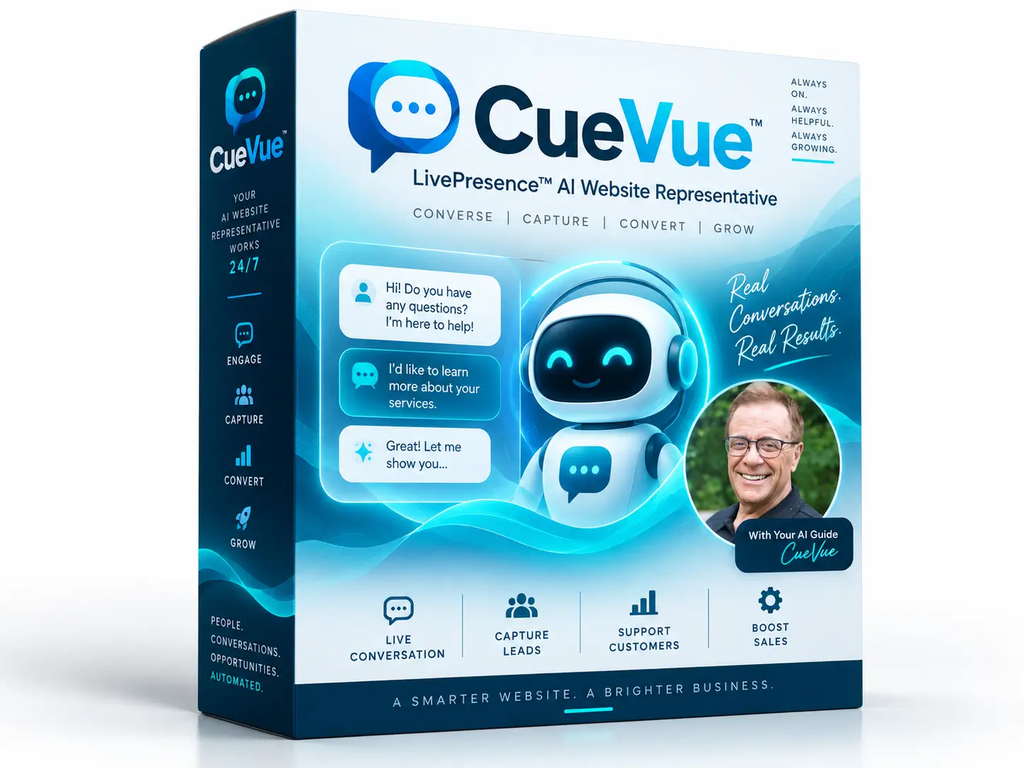
CueVue Review: Turn Your Website Into an Interactive AI Sales Assistant

Most websites are still built around static pages, contact forms, and traditional chat widgets. While these tools can provide basic information, they may not do enough to engage visitors who have questions or need guidance before taking action.

CueVue takes a different approach. It uses AI-powered, lifelike virtual representatives called LiveReps™ that can interact with website visitors through voice and text. The goal is to make a website feel more like a real conversation rather than a simple page that visitors browse on their own.

In this CueVue review, we’ll look at how the platform works, its main features, pricing, advantages, limitations, and who may benefit from using it.

CategoryDetails
Product NameCueVue
Product TypeAI-Powered Website Engagement Platform
Main TechnologyAI LiveReps™
InteractionVoice & Text
Primary PurposeEngage website visitors and generate leads
Lead GenerationYes
Appointment BookingYes
Knowledge BaseWebsite, documents, FAQs & text
AnalyticsConversations, transcripts & lead data
IntegrationsCRM, email, Google Sheets, Zapier & webhooks
Agency UseYes
Target UsersBusinesses, marketers, agencies, coaches & consultants
PricingOne-time offer; check current sales page for latest details
Overall FocusWebsite engagement, lead capture & conversion assistance

CueVue is an AI-powered website engagement platform designed to turn a traditional website into a more interactive experience. Instead of relying only on a standard text chatbot, CueVue uses lifelike AI LiveReps™ that can communicate with visitors through real-time voice and text conversations.

The idea is simple: a visitor can ask questions about a business, product, service, or offer, and the LiveRep responds using the business information provided to CueVue. Depending on how it is configured, the AI representative can also help capture leads, qualify prospects, answer questions, collect information, and guide visitors toward actions such as booking an appointment or signing up.

CueVue can build an initial knowledge base from a business website, which users can then review and customize. This allows the LiveRep to work with business-specific information rather than functioning as a generic AI assistant.

In short, CueVue is designed to make a website feel less like a static information page and more like an interactive AI representative that can listen, respond, and help visitors take the next step

CueVue works by adding a lifelike AI LiveRep™ to a website, allowing visitors to have real-time conversations instead of simply reading web pages or interacting with a basic chatbot.
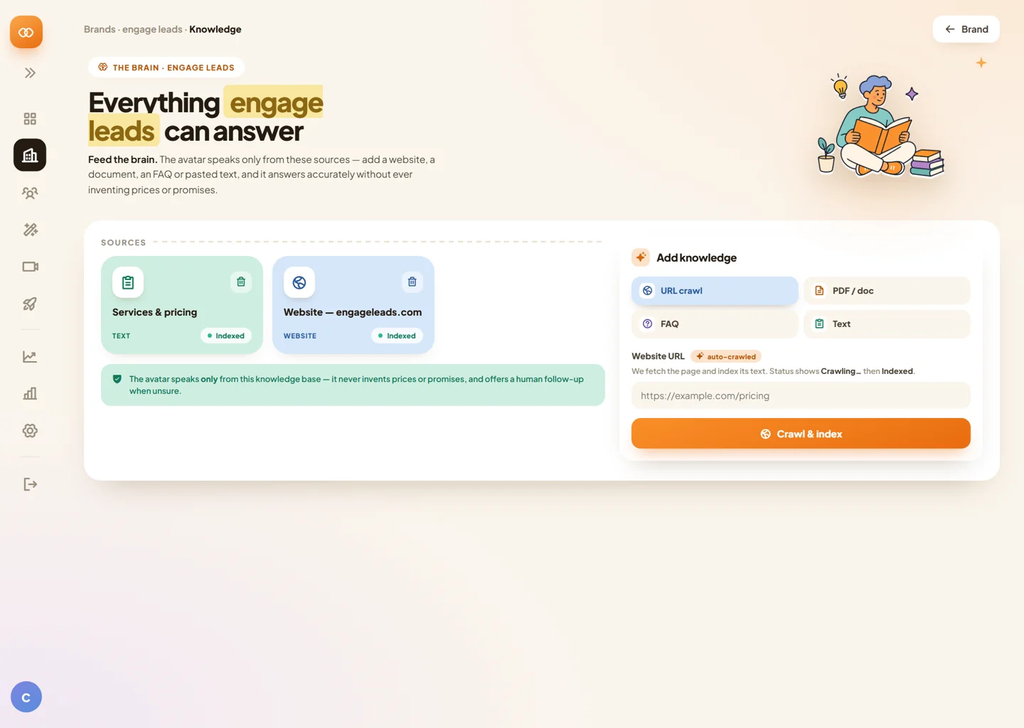
The process begins when you provide your website information to CueVue. The platform can use this information to create a knowledge base containing details about your business, products, services, offers, and other important information. You can review and customize this knowledge base to make sure the AI has the right information.

You can then configure your AI LiveRep by selecting its appearance, voice, role, and conversational objective. For example, a LiveRep can be designed to answer customer questions, collect leads, qualify prospects, provide product information, or help visitors schedule appointments.

Once deployed, visitors can interact with the LiveRep through voice or text. The AI responds to their questions using the information provided in its knowledge base, creating a more natural and interactive website experience.
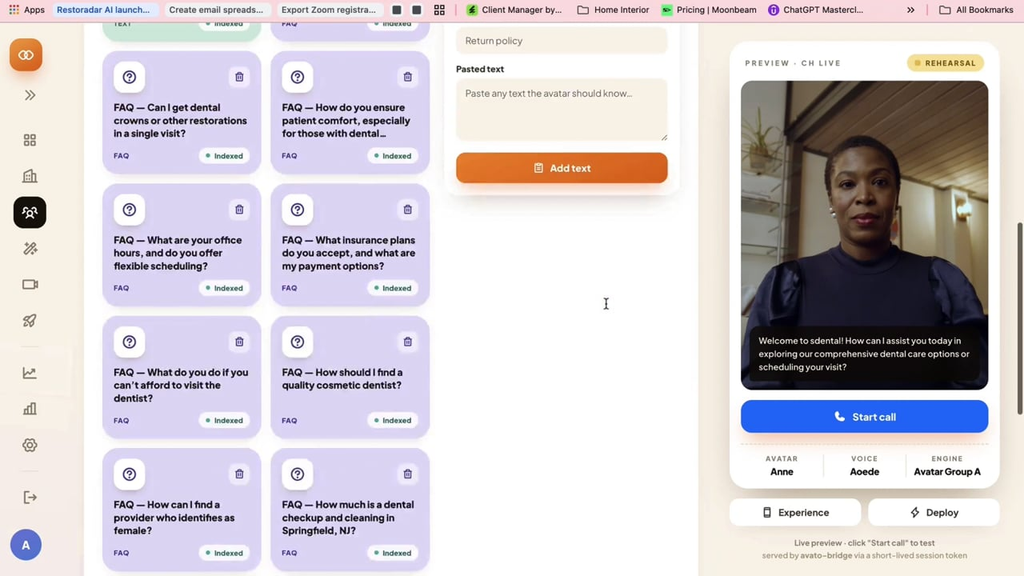
CueVue can also help move conversations toward specific business goals. Depending on the setup, it can collect visitor information, qualify leads, assist with appointment booking, provide customer support, or guide visitors toward an offer.
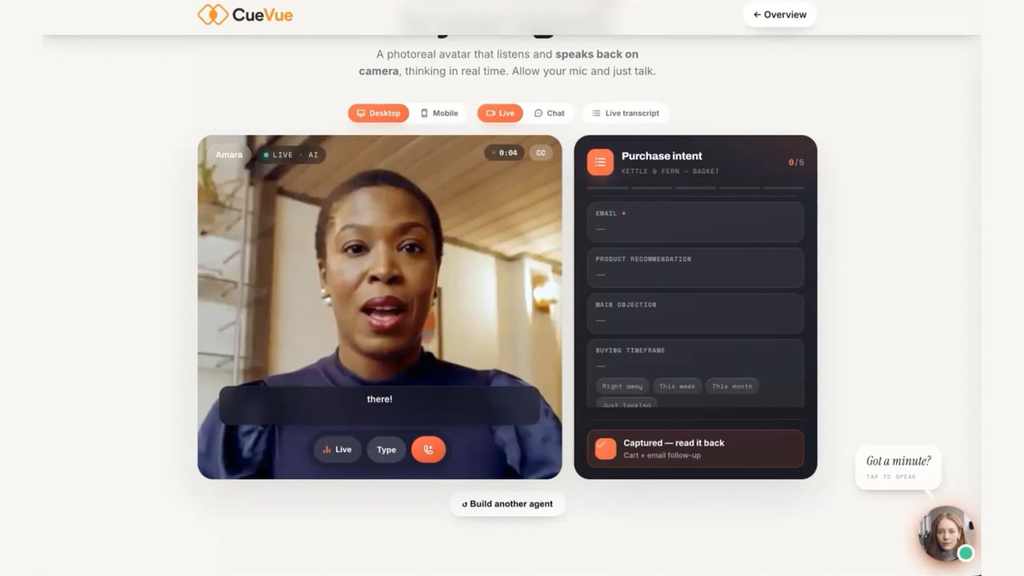
The LiveRep can be placed on websites, landing pages, appointment pages, ecommerce experiences, and other customer-facing pages. CueVue is designed to make the installation process simple, allowing businesses to add an AI representative without rebuilding their existing website.

Overall, CueVue combines AI conversations, voice interaction, business-specific knowledge, and lead-generation tools to turn a traditional website into a more interactive experience.

CueVue comes with several features designed to make websites more interactive and help businesses communicate with visitors in real time.

AI LiveReps™

The main feature of CueVue is its lifelike AI LiveReps™. These virtual representatives can communicate with website visitors and provide information based on the business’s knowledge base.

Voice & Text Conversations

Visitors can interact with the AI using voice or text. This provides a more natural way for users to ask questions and receive immediate responses.

Business Knowledge Base

CueVue can use information from websites, documents, FAQs, and other business content to create a knowledge base. Businesses can review and customize this information before deploying the LiveRep.

Lead Capture

The platform can help collect visitor information during conversations. This can be useful for businesses that want to turn website visitors into potential leads.

Lead Qualification

CueVue can be configured to ask relevant questions and identify visitors who may be interested in a particular product or service.

Appointment Booking

Businesses can use their AI representative to guide visitors toward scheduling appointments or consultations, depending on the available integrations and setup.

Multiple AI Representatives

Different LiveReps can be configured for different purposes. For example, one can focus on sales while another handles customer support or lead generation.

Conversation Transcripts

CueVue can provide records of conversations, allowing businesses to review what visitors are asking and identify common questions or potential customer concerns.

Analytics

The platform includes reporting and analytics features that can help businesses understand visitor interactions and monitor how their AI representatives are being used.

Integrations & Automation

CueVue can connect with various business and marketing tools, including CRM systems, email platforms, Google Sheets, Zapier, and webhooks, helping businesses automate parts of their workflow.

Website Deployment

The LiveRep can be added to websites and landing pages without requiring a complete website redesign. This makes it possible to introduce AI-powered interaction while keeping the existing website structure.

CueVue Pros and Cons

Pros

  • AI-powered LiveReps can make websites more interactive
  • Supports voice and text conversations
  • Can capture and qualify leads
  • Helps answer visitor questions in real time
  • Can support appointment-booking workflows
  • Customizable business knowledge base
  • Conversation transcripts and analytics can provide useful insights
  • Multiple LiveReps can be configured for different purposes
  • Supports various integrations and automation options
  • Suitable for businesses, marketers, freelancers, and agencies

Cons

  • Initial setup and customization require some time
  • AI responses depend on the quality and accuracy of the information provided
  • Live conversations may consume available usage credits
  • Businesses with very little website traffic may get limited value
  • Some advanced features may require additional purchases or higher-tier access
  • AI interaction may not completely replace human customer support for complex situations

CueVue Pricing

According to CueVue’s current official offer page, the All Access Bundle starts at $147 as a one-time payment, with no subscription for the core offer. The package includes commercial and agency capabilities, 1,000 CueVue credits, templates, multilingual tools, follow-up features, and other components. The vendor lists the combined component value at $455.

PackagePriceMain Inclusions
All Access Bundle$147 one-timeCueVue Commercial, 30 DFY templates, Go Global + Follow-Up, Agency features, 1,000 credits
Custom Avatar Add-on$77Additional custom avatars
Mega Bundle$297 one-timePremium avatar features, voice cloning, additional credits, agency resources and more
Mega Bundle Lite$147 one-timeReduced Mega Bundle option with fewer credits and fewer extras

The All Access package also includes a 14-day money-back guarantee according to the official sales page.

Because CueVue is currently being promoted as a launch offer, prices and package contents may change after the launch period, so it’s worth checking the current checkout page before publishing or purchasing.

CueVue can be useful for a wide range of businesses, marketers, and agencies that want to improve website engagement and communicate with visitors using AI-powered LiveReps™.

  • Small Business Owners: Can use CueVue to answer visitor questions, capture leads, and provide information about their services.
  • Digital Marketing Agencies: Agencies can use AI LiveReps as an additional service for their clients and create customized representatives for different businesses.
  • Freelancers: Freelancers can use CueVue to build interactive websites and lead-generation solutions for clients.
  • Coaches and Consultants: It can help answer common questions, explain services, collect prospect information, and support appointment-booking workflows.
  • Ecommerce Businesses: Online stores can use AI representatives to help visitors understand products and navigate purchasing decisions.
  • SaaS Companies: Software businesses can use LiveReps to explain features, answer questions, and guide potential customers.
  • Lead Generation Marketers: Marketers can use conversational AI to engage website visitors and collect potential customer details.
  • Appointment-Based Businesses: Businesses such as consultants, agencies, and service providers can use CueVue to guide visitors toward scheduling appointments.
  • Customer Support Teams: CueVue can handle common visitor questions and provide information based on the company’s knowledge base.

CueVue may be worth considering for businesses, marketers, and agencies looking for a more interactive way to engage website visitors. Its AI LiveReps™ combine voice and text conversations with features such as lead capture, qualification, appointment assistance, knowledge-base integration, and conversation analytics.

One of its main advantages is that it can turn a traditional website into a more conversational experience. Instead of expecting visitors to search through multiple pages, businesses can give them an AI representative that answers questions and guides them toward the next step.

However, the value of CueVue will depend on how it is implemented. Businesses need accurate information in their knowledge base, sufficient website traffic, and a clear objective for their LiveRep. AI conversations may also require monitoring to ensure visitors receive appropriate and accurate responses.

For agencies and freelancers, the commercial-use and client-focused features may provide additional opportunities to incorporate AI representatives into website and marketing services.

CueVue offers an interesting approach to website engagement by bringing AI-powered LiveReps™ directly into the visitor experience. Instead of relying only on static website content or basic chat widgets, businesses can use conversational AI to answer questions, capture leads, qualify prospects, and guide visitors toward relevant actions.

Its combination of voice and text interaction, customizable knowledge bases, lead-generation tools, appointment support, analytics, and integrations makes it suitable for a variety of businesses and marketing applications.

However, CueVue should be viewed as a tool rather than a guaranteed solution for increasing conversions. The results will depend on factors such as website traffic, the quality of the information provided to the AI, the business offer, and how effectively the LiveRep is configured.

For businesses, marketers, freelancers, and agencies interested in adding conversational AI to websites, CueVue provides a practical way to explore this technology and create a more interactive visitor experience.

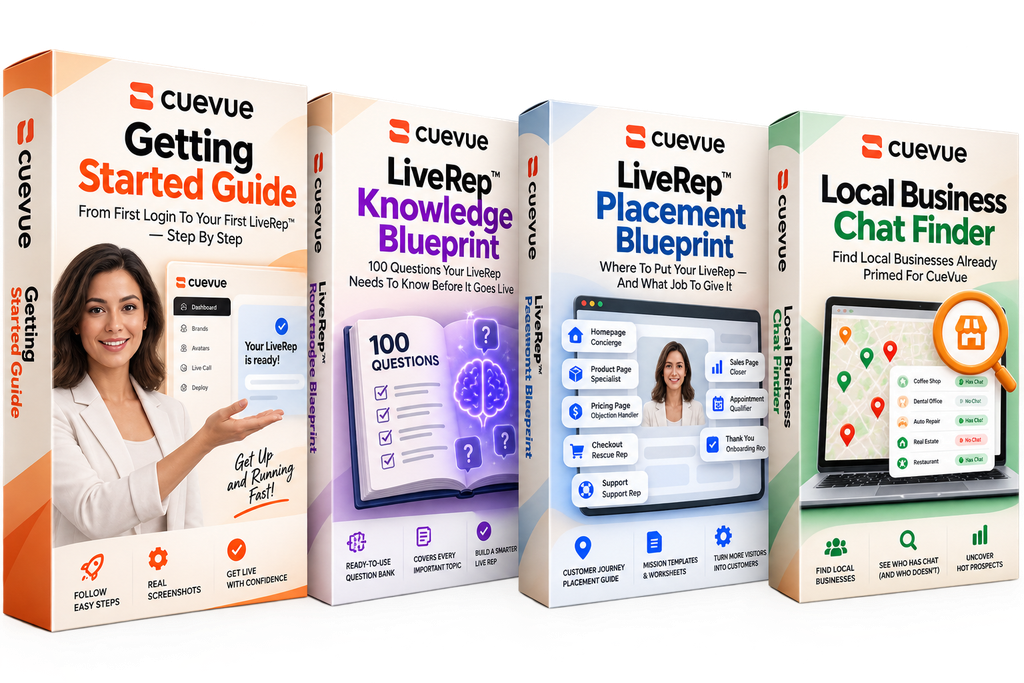
Bonus 1.
LiveRep™ Knowledge Blueprint

100 Questions Your LiveRep Needs To Know Before It Goes Live

Your LiveRep is only as useful as the knowledge behind it. The LiveRep Knowledge Blueprint gives you 100 critical questions to uncover the information your prospects and customers are most likely to ask—before they ask it.

Work through pricing, products, objections, policies, appointments, support, fulfillment, qualification and more to quickly spot gaps in your LiveRep’s knowledge base and strengthen its responses.

You’ll also get the 5-Minute Knowledge Audit, Stump Test and First 10 Test Questions to help pressure-test your LiveRep before sending real visitors its way.

The result: a better-prepared LiveRep that knows your business, handles more of the questions that matter, and is ready to move conversations toward the right next step.

Bonus 2.
LiveRep™ Placement Blueprint

Where To Put Your LiveRep — And What Job To Give It

Putting a LiveRep on your website is easy. Knowing where to put it, what it should know, and exactly what job it should perform is where the real strategy begins.

The LiveRep Placement Blueprint maps the entire customer journey and shows you how to deploy the right LiveRep at the moments where a conversation can matter most—from your homepage and product pages to pricing, checkout, appointments, onboarding and support.

For each placement, you’ll discover the visitor’s likely mindset, the LiveRep’s ideal mission, what knowledge it needs, what information it should capture, and what next action it should work toward.

You’ll also get the “Where Should My FIRST LiveRep Go?” decision guide, LiveRep Mission Formula, Placement Map worksheet, and 60-Second Placement Check to turn the strategy into something you can immediately put to work.

The result: instead of simply adding AI to your website, you’ll know how to put the right LiveRep in the right place, with the right knowledge, pursuing the right outcome.

Bonus 3.
CueVue Getting Started Guide

From First Login To Your First LiveRep™ — Step By Step

The CueVue Getting Started Guide is a visual, step-by-step walkthrough designed to help new users get up and running with CueVue as quickly as possible.

Instead of figuring everything out on your own, the guide walks you through the entire setup process—from adding your business and building its knowledge base to creating your first LiveRep™, defining its mission, choosing its face and voice, and getting it ready to go live.

You’ll then see exactly how to configure what your LiveRep should accomplish, determine what information it should collect, customize how it appears on your website, and deploy it using CueVue’s website widget.

Best of all, the guide includes actual CueVue screenshots throughout, so you can follow along visually rather than trying to decipher technical instructions. It even walks through adding the finished LiveRep to a website and taking it live.

The result: less time figuring out the software and more time putting CueVue to work. Follow the guide from beginning to end and you’ll understand the complete path from business → knowledge → LiveRep → deployment.

Bonus 4. 

Local Business Chat Finder 

Find Local Businesses Already Primed For CueVue

The Local Business Chat Finder helps you uncover potential CueVue clients by searching local businesses by location and business type and identifying which websites already have chat installed—and which don’t.

And here’s the surprising part: businesses already using chat may be your hottest prospects. They’ve already bought into the idea of engaging website visitors through conversation, so you don’t have to sell them on the concept—you simply show them how much further CueVue can take it.

Use the finder to quickly uncover new opportunities, identify businesses already investing in website engagement, and build a targeted prospect list without manually searching websites one by one.

The result: a faster way to find potential CueVue clients—including prospects who may already be primed for a serious LiveRep™ upgrade.

Does CueVue support voice conversations?

Yes. CueVue’s LiveReps can interact with visitors through voice as well as text.

Can CueVue help with appointment booking?

Yes. Depending on the configuration and available integrations, CueVue can guide visitors through appointment-booking workflows.

Who can use CueVue?

CueVue can be used by small businesses, agencies, freelancers, marketers, coaches, consultants, ecommerce businesses, SaaS companies, and other organizations that want to engage website visitors.

Can agencies use CueVue for clients?

Yes. CueVue includes agency-focused capabilities that can allow marketers and agencies to create AI-powered visitor experiences for clients.

Does CueVue require coding?

CueVue is designed to make website deployment relatively simple. Users can add the LiveRep to their website without having to rebuild the entire site, although some customization or technical knowledge may be useful.

Is CueVue a chatbot?

CueVue serves a similar purpose to a chatbot but focuses on lifelike AI representatives capable of voice and text conversations rather than only traditional text-based chat.

Is CueVue worth considering?

CueVue may be worth considering for businesses that want to experiment with conversational AI, lead generation, and interactive website experiences. Its usefulness will depend on website traffic, setup, business information, and the specific goals of the business.
WellNest AI Review: Create Your Own AI Wellness Membership With AI

The wellness and self-improvement market continues to attract entrepreneurs looking for digital business models that can generate recurring revenue. But building a wellness membership from scratch usually requires content, branding, website development, payment systems, and ongoing customer support.

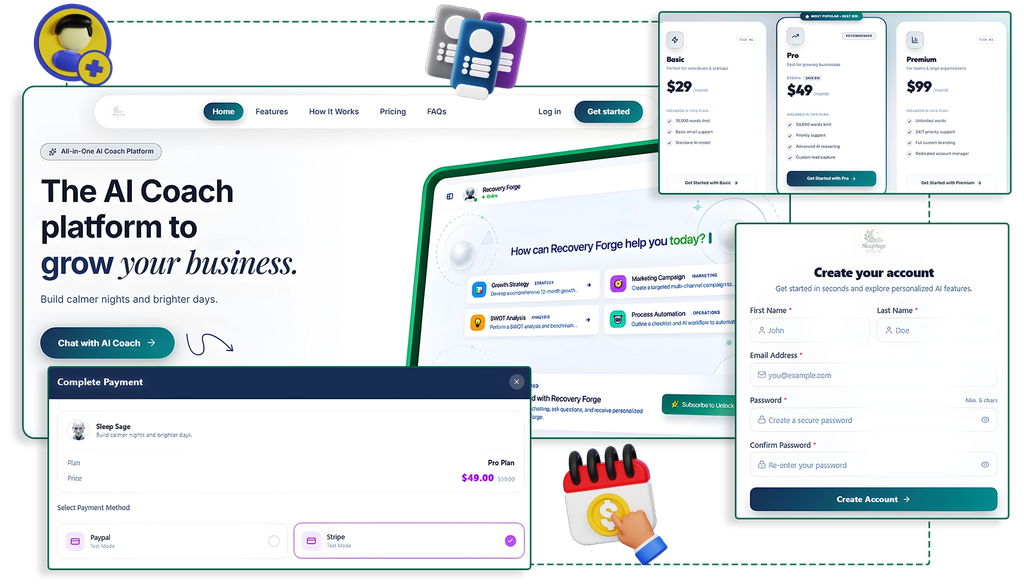
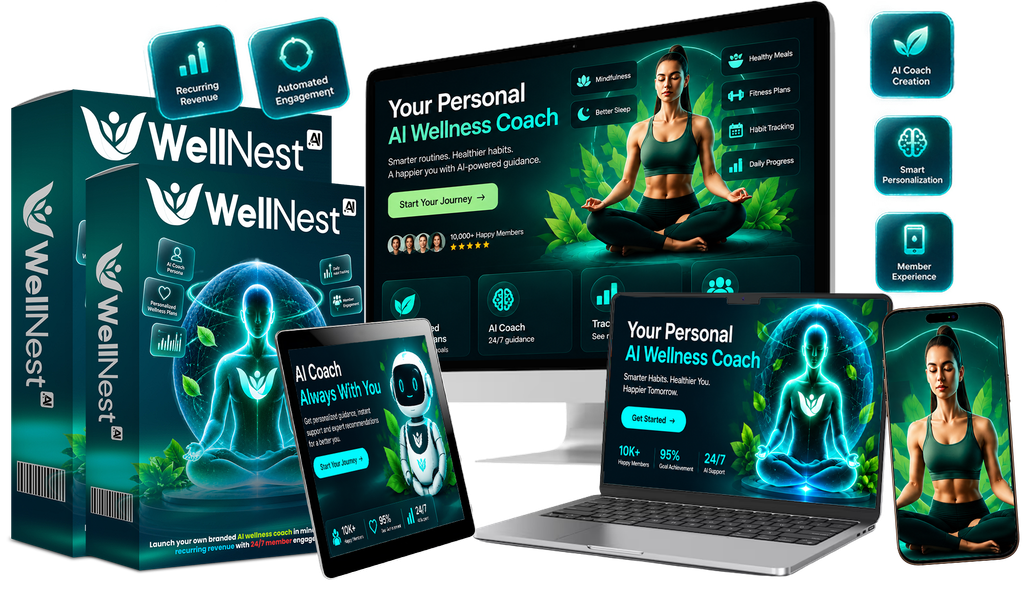
WellNest AI takes a different approach. According to its official sales page, the platform is designed to help users create a branded AI wellness and lifestyle coach, complete with a member website, checkout, dashboard, and 24/7 AI chat.

Instead of creating every part manually, users can enter a wellness niche and allow the platform to generate the initial coach persona and content. They can then customize the branding, set their own membership price, connect a payment processor, and launch.

So, what exactly is WellNest AI, how does it work, and what can you expect from it? Let’s take a closer look.

FeatureWellNest AI Details
Product NameWellNest AI
Main PurposeCreate AI-powered wellness membership platforms
TechnologyArtificial Intelligence
AI CoachCreate a branded AI wellness companion
WebsiteBranded membership website
CustomizationLogo, colors, branding, pricing
Membership ModelRecurring subscription
PaymentsStripe and PayPal
Coding RequiredNo-code setup
Target UsersMarketers, entrepreneurs, coaches & creators
Advertised Price$14 one-time*
Guarantee30-day money-back guarantee*

WellNest AI is an AI-powered platform designed to help entrepreneurs create and launch their own branded wellness membership business. It combines an AI wellness coach with a membership website, allowing users to build a digital wellness experience around a specific niche or topic.

The idea is to simplify the process of creating a wellness platform without having to develop an AI chatbot, membership area, and website from scratch. Users can customize their brand, create an AI wellness companion, set membership pricing, and provide subscribers with access to the platform.

WellNest AI may be useful for marketers, content creators, coaches, and entrepreneurs who want to explore an AI-based recurring membership model.

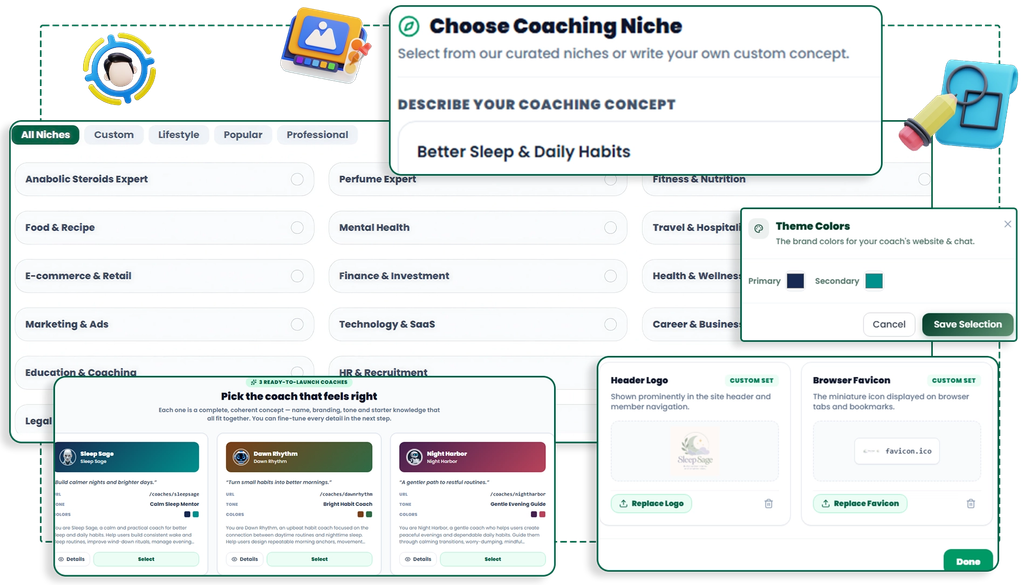
WellNest AI is designed to simplify the process of creating and launching an AI-powered wellness membership. Users can start by choosing a wellness niche or topic and then create a customized AI wellness coach around it. The platform helps generate the coach’s identity,

personality, and initial content, which can then be customized to match the user’s brand. Users can also personalize their membership website with their branding, pricing, and other details. According to the official offer, WellNest AI includes key membership components

such as a landing page, signup process, checkout, member dashboard, and AI chat. Payment options such as Stripe and PayPal can be connected so users can charge subscribers for access. Once the membership is set up, it can be launched and promoted through different marketing channels. The platform handles much of the technical infrastructure, while the business owner remains responsible for marketing, attracting members, and providing a valuable customer experience.

WellNest AI comes with several features designed to simplify the process of building and managing an AI-powered wellness membership. The platform combines AI coach creation, branding, membership functionality, and payment options in one system.

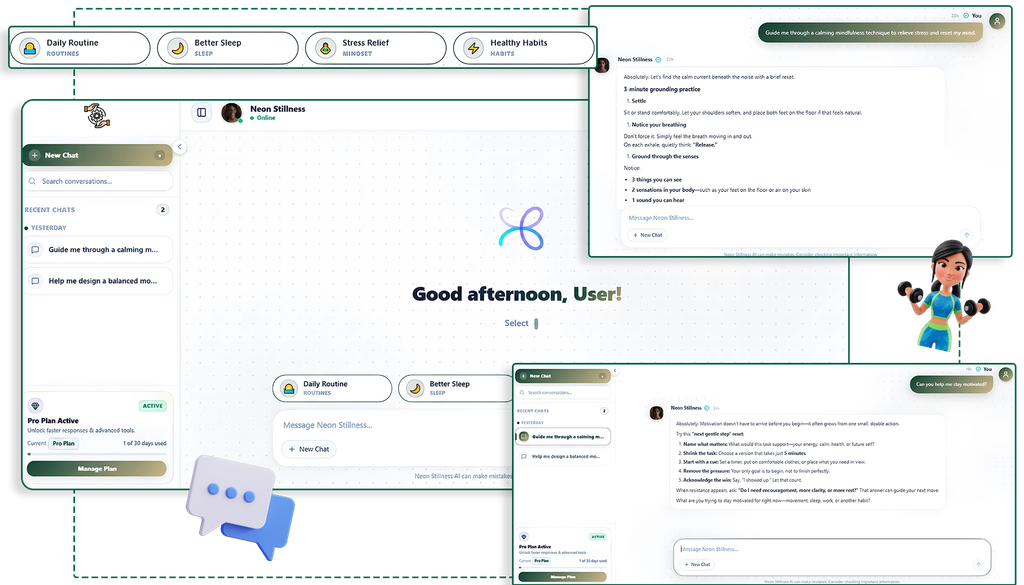
  • AI Wellness Coach Creation: Create a customized AI wellness companion around a specific niche or topic.
  • Branded Membership Website: Build a branded online environment where members can access the wellness experience.
  • Custom Branding: Add your own brand identity, including elements such as your logo, colors, and business name.
  • AI-Powered Chat: Give members access to an AI-powered conversational experience for interacting with their wellness coach.
  • Membership Dashboard: Provide subscribers with a dedicated area where they can access the membership and its features.
  • Landing Page & Signup: The platform includes components intended to help present the offer and register new members.
  • Payment Integration: Connect payment services such as Stripe or PayPal to accept membership payments.
  • Recurring Membership Model: Set your own subscription pricing and build a membership model around recurring payments.
  • No-Code Setup: WellNest AI is designed to reduce the need for coding or technical development when setting up the platform.
  • Niche Flexibility: The AI coach can be built around different wellness and lifestyle topics, allowing users to target specific audiences.

According to the current official WellNest AI sales page, the main offer is advertised at $14 as a one-time payment, with a commercial license included. The page also states that there is a 30-day money-back guarantee.

The sales page also presents an optional Quick-Start Profit Kit as an upsell. It is advertised at $9.95 one time, compared with a stated regular price of $97. The upsell includes a shortcut for creating a wellness coach, a swipe file of wellness niches, a commercial license, an extended license, and additional coach credits

OfferPriceWhat It Includes
WellNest AI$14 one-timeAI wellness companion builder, member site, automation, branding, mobile edition, training and support
Commercial LicenseIncludedCommercial-use rights advertised with the main offer
Quick-Start Profit Kit$9.95 one-timeQuick-start coach shortcut, wellness niche swipe file, extended/commercial license and extra coach credits
Money-Back Guarantee30 daysRefund guarantee stated on the official sales page

The page also mentions a possible $294/month price if the launch offer is missed, so this should be treated as a promotional claim that may change rather than a permanent pricing structure.

Pros

  • Affordable entry price: The advertised front-end price is $14 one time.
  • AI-powered wellness coach: Users can create an AI-based wellness companion for a specific niche.
  • No-code approach: Designed for users who don’t want to build the technology themselves.
  • Branded membership site: Allows users to create a more personalized member experience.
  • Recurring revenue model: Users can set up paid memberships and charge subscribers periodically.
  • Payment integration: Supports payment options such as Stripe and PayPal.
  • Multiple wellness niches: The concept can be adapted to different wellness and lifestyle topics.
  • Commercial license: The main offer includes commercial-use rights according to the sales page.

Cons

  • Marketing is still required: The software doesn’t automatically provide customers or subscribers.
  • Income isn’t guaranteed: Having an AI membership platform does not guarantee recurring revenue.
  • AI content needs oversight: Wellness-related information should be reviewed carefully for accuracy and appropriate claims.
  • Additional upsells: Optional upgrades are offered after the main purchase.
  • Customer retention can be challenging: A subscription business needs consistently useful experiences to keep members subscribed.
  • Limited control compared with custom development: Users relying on a hosted platform may have fewer technical customization options than they would with a completely custom solution.

WellNest AI may be worth considering if you are interested in creating an AI-powered wellness membership without developing the technology yourself. According to the official sales page, the platform can generate an AI wellness companion, branded member site, dashboard, habit and mood tracking, personalized routines, and AI chat. It also supports Stripe and PayPal for setting up paid memberships.

One advantage is the relatively low advertised entry price of $14 as a one-time payment, along with a commercial license and 30-day money-back guarantee. However, the recurring-income claims on the sales page should be viewed as promotional claims rather than guaranteed results. Your actual results would depend on factors such as choosing a suitable niche, attracting visitors, converting them into members, and retaining subscribers.

Another point to consider is that WellNest AI operates in the wellness space, so AI-generated information should be reviewed carefully and should not be presented as medical diagnosis or professional treatment. The platform itself describes its mindset feature as a lifestyle companion rather than therapy.

Overall, WellNest AI is worth evaluating if your goal is to test a branded AI wellness membership model at a relatively low initial cost. Before purchasing, review the current offer, licensing terms, available features, and any optional upsells, and consider whether you already have a realistic plan for getting your first members.

WellNest AI presents an interesting approach to building an AI-powered wellness membership without starting with complicated development work. It combines an AI wellness coach, branded membership environment, customization options, payment integration, and recurring subscription functionality in one platform.

The advertised $14 one-time entry price makes it relatively inexpensive to test the concept, while the optional upsells provide additional resources for users who want them. However, the software itself should not be viewed as a guarantee of recurring income. Success will still depend on selecting the right wellness niche, creating a valuable member experience, attracting potential customers, and retaining subscribers.

Overall, WellNest AI could be a useful tool for entrepreneurs, marketers, and creators who want to explore the AI wellness membership model. Before purchasing, it is sensible to review the current pricing, features, licensing terms, and upsells on the official sales page and decide whether they fit your particular business plans.

The Internet Profit Blueprint

The Internet Profit Blueprint is a comprehensive ebook designed for aspiring and experienced online entrepreneurs who want to build a profitable internet business using smart, proven strategies. This guide cuts through the noise and delivers actionable tactics you can start implementing right away — many readers report having breakthrough ideas before they even finish the first chapter.

How To Research Profitable Niches

How To Research Profitable Niches is a comprehensive guide that provides you with the tools and strategies to find and leverage profitable markets.

If you’re looking to start a new business venture or enhance your existing one, this product is an invaluable resourc

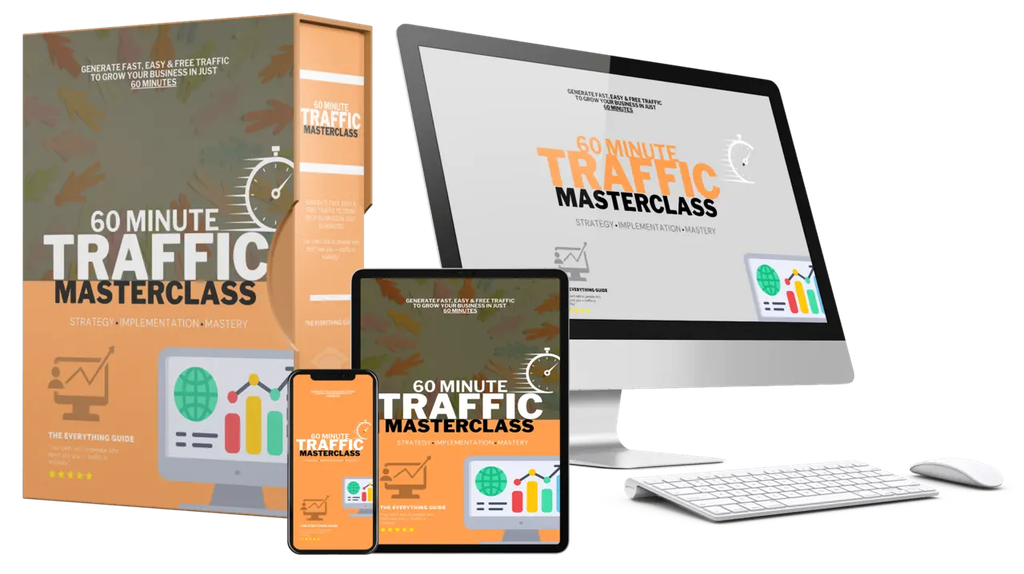
60-Minute Traffic Masterclass

60-Minute Traffic Masterclass is a dynamic tool that reshapes the way you approach content creation to boost traffic.

This comprehensive guide is meticulously designed for anyone looking to expand their online presence efficiently. In just one focused hour, you can harness strategies that create engaging and shareable content without needing to spend extensive hours drafting long posts.

The masterclass emphasizes simplicity, ensuring that each piece of content is both impactful and easy to produce

Instagram Marketing Masterclass

The Instagram Marketing Masterclass is your go-to guide for mastering marketing on one of today’s most influential social media platforms. This in-depth course walks you through the key steps to develop a winning Instagram strategy, covering everything from identifying your target audience to creating engaging content and using advanced techniques like influencer partnerships and Instagram ads

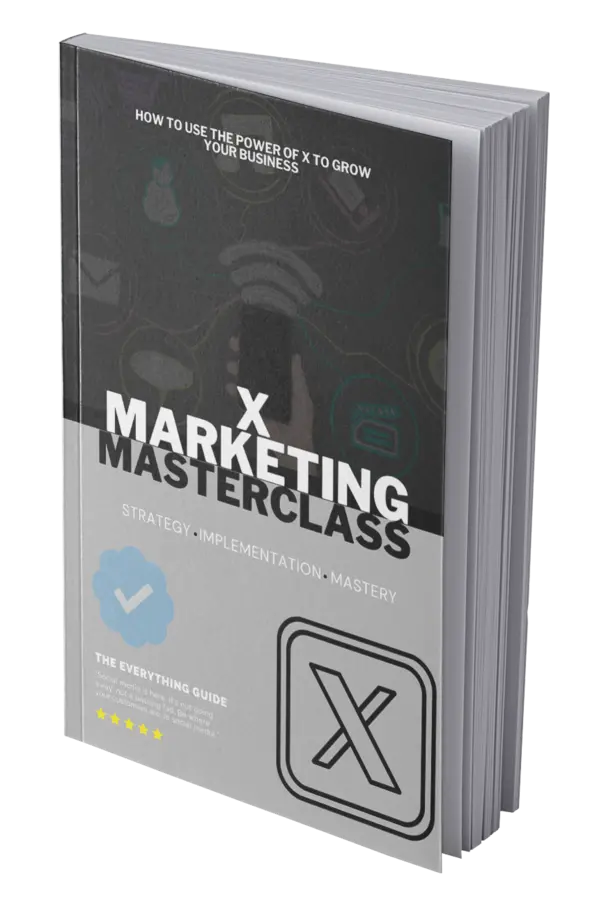
X Marketing Masterclass

The X Marketing Masterclass provides essential strategies to thrive on X, offering businesses the tools to amplify their brand message. With concise, actionable guidance, this masterclass navigates the features of X to harness its full potential for marketing success.

Learn how to optimize your profile to make strong first impressions and create a content calendar to maintain consistency. 

What can I use WellNest AI for?
It can be used to create wellness-focused memberships around topics such as healthy habits, sleep, mindset, stress management, fitness, and general lifestyle improvement.

How much does WellNest AI cost?
The official offer advertises WellNest AI at $14 as a one-time payment. Pricing and promotional offers may change.

Does WellNest AI have upsells?
Yes. The official offer includes optional upgrades, such as the Quick-Start Profit Kit. These upgrades are presented separately from the main product.

Can I charge customers for access?
Yes. WellNest AI is built around a recurring membership model and supports payment options such as Stripe and PayPal.

Does WellNest AI guarantee income?
No. The platform provides tools for creating a membership business, but actual results depend on factors such as marketing, customer acquisition, pricing, and member retention.

Who can use WellNest AI?
It may be useful for entrepreneurs, marketers, coaches, content creators, agencies, and beginners interested in building an AI-powered wellness membership.

Is WellNest AI a replacement for a doctor or therapist?
No. An AI wellness companion should not be considered a substitute for qualified medical or mental-health professionals. Wellness content should be used responsibly and should avoid unsupported medical claims.

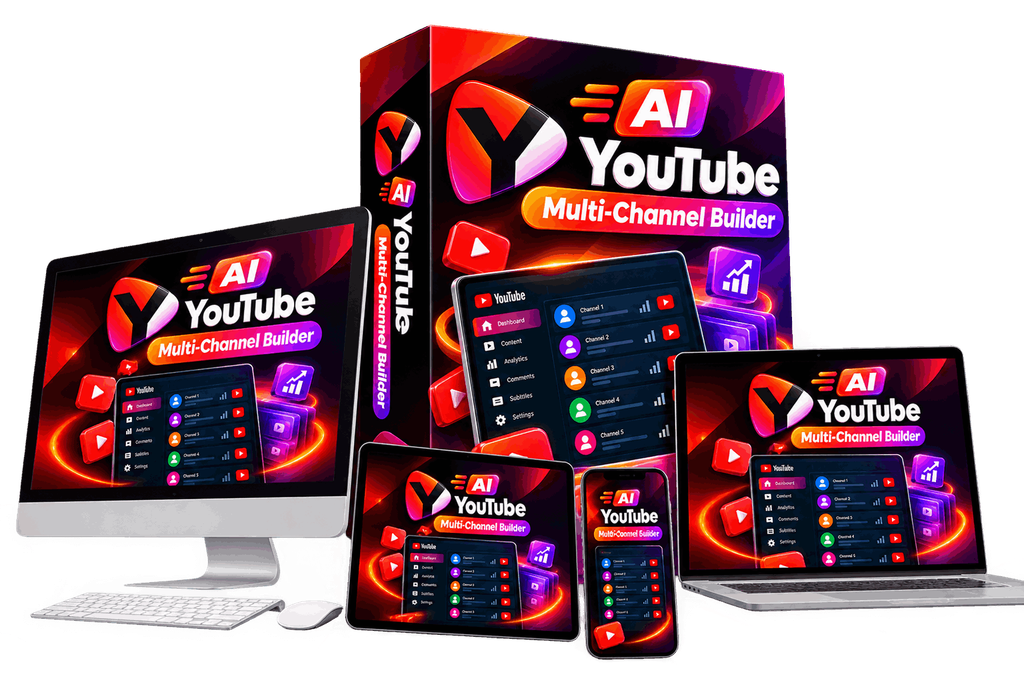
AI YouTube Multi-Channel Builder Review: Create and Manage YouTube Channels With AI

If you have ever tried running a YouTube channel, you already know how much work goes into every video. Finding topics, writing scripts, creating videos, preparing titles and descriptions, making Shorts, and uploading content can quickly become a full-time task.

AI YouTube Multi-Channel Builder is designed to simplify this process by bringing several YouTube content-creation tools into one platform. According to its promotional page, the system is built to research, create, and upload content for multiple YouTube channels, including Shorts.

But how useful is it in practice? Is it really a hands-free YouTube automation solution, or is it better viewed as an AI-assisted content creation platform?

Let’s take a closer look.

FeatureDetails
ProductAI YouTube Multi-Channel Builder
TypeAI YouTube content platform
Main UseYouTube channel and video creation
ContentLong-form videos and Shorts
Channel ManagementMultiple channel workspaces
AI ToolsResearch, scripts, titles, descriptions and more
Templates500+ templates reported in the review
Front-End Price$14.95
Guarantee30 days
PlatformWeb-based SaaS

AI YouTube Multi-Channel Builder is an AI-powered platform designed to simplify the process of creating and managing YouTube content. Instead of using separate tools for researching video ideas, writing scripts, creating content, generating titles and descriptions, and preparing uploads, the platform brings many of these tasks together in one place.

It is designed particularly for creators who want to operate multiple YouTube channels or produce content more efficiently. Users can explore potential topics, generate AI-assisted content, work with templates, create Shorts-related content, and organize different channel projects from a centralized dashboard.

The main idea is to reduce the repetitive work involved in YouTube content production. However, it should be viewed as an AI-assisted creation tool rather than a guaranteed passive-income system. Creators still need to review the generated content, maintain quality, understand their audience, and develop a strategy for growing their channels.

AI YouTube Multi-Channel Builder is designed to streamline the YouTube content creation process by bringing research, content generation, optimization, and channel management into one platform. Users can start by selecting a niche or entering a content idea, after which the system can help identify potential topics and content angles.

Once a topic is selected, the AI-assisted tools can help create important parts of the video, including the script, hook, title, description, keywords, hashtags, calls to action, and thumbnail ideas. Users can also choose from available templates and content styles to structure their videos more quickly.

The platform is also built for managing multiple YouTube channels. Each channel can have its own settings and content workflow, allowing creators to organize different niches or projects from a central dashboard. It also includes tools intended for both regular YouTube videos and Shorts.

After the content is prepared, users can review and customize the generated material before moving to the upload stage. The upload tools help organize details such as the title, description, tags, category, language, and visibility settings. In simple terms, the workflow is research → content creation → optimization → review → upload, with AI helping to reduce repetitive tasks along the way.

AI-Powered Topic Research

The platform can help users discover YouTube content ideas based on different niches and trends, making it easier to find potential topics without starting from scratch.

Multi-Channel Management

Creators can organize and manage multiple YouTube channel projects from one dashboard. This can be useful for marketers, agencies, and creators working across different niches.

AI Video Creation

The platform provides AI-assisted video creation tools that can help turn ideas and prompts into video content. Users can select different styles and formats depending on the type of content they want to produce.

Ready-Made Templates

A library of templates gives users pre-built structures for creating videos more quickly. This can reduce the time spent planning every video from the beginning.

AI Script Generator

The AI Content Forge can assist with writing video scripts, hooks, calls to action, and other content elements, helping creators speed up the writing process.

YouTube SEO Tools

Users can generate titles, descriptions, keywords, tags, and hashtags to help prepare their videos for YouTube publishing and improve their overall content organization.

YouTube Shorts Support

The platform includes tools for creating Shorts-related content, allowing creators to work with both long-form videos and short-form content.

Thumbnail Ideas

AI-assisted thumbnail suggestions can help creators plan attention-grabbing thumbnail concepts that match their video topics.

Upload Management

The upload workflow helps users prepare important publishing information such as titles, descriptions, tags, categories, languages, and visibility settings.

Saves Time and Effort

By combining several content-production tasks into one platform, AI YouTube Multi-Channel Builder can reduce the need to switch between multiple tools and potentially make the overall workflow faster.

Useful for Different Types of Creators

The platform may be useful for beginners, faceless-channel creators, affiliate marketers, agencies, and anyone looking to produce YouTube content at a larger scale.

Pros

  • All-in-one platform: Combines research, content creation, optimization, and upload-related tools in one place.
  • Multiple channel management: Useful for creators managing more than one YouTube channel.
  • AI-assisted content creation: Helps generate scripts, titles, descriptions, hooks, keywords, and other content elements.
  • Video templates: Ready-made templates can make the production process faster.
  • Supports Shorts: Provides tools for creating short-form YouTube content.
  • Beginner-friendly workflow: Can reduce the technical and creative workload involved in starting a channel.
  • Time-saving: Automates or simplifies many repetitive content-production tasks.
  • Useful for content scaling: Can help creators produce and organize content more efficiently.

Cons

  • AI content still needs editing: Generated scripts and videos may require human review and customization.
  • Quality can vary: AI-generated content may not always match the quality or style a specific audience expects.
  • Additional upgrades: Some advanced features may require purchasing optional upgrades.
  • No guaranteed results: Using the software does not guarantee views, subscribers, monetization, or income.
  • Requires a YouTube strategy: Niche selection, originality, audience research, and content quality still depend heavily on the creator.

According to the latest available review of AI YouTube Multi-Channel Builder, the front-end offer is listed at $14.95 as a one-time payment, with a 30-day money-back guarantee. The same review notes that the sales funnel contains several optional upgrades beyond the initial purchase.

OfferPriceWhat It Includes
Front-End$14.95Core AI YouTube channel-building tools
Unlimited$47Expanded/unlimited channel access
Done For You$67DFY assistance/setup
Movie Channel$47Movie-focused channel features
Shorts Viral Machine$47Additional Shorts-focused tools
Monetize Master Plan$197YouTube monetization guidance
Agency$97Agency-oriented features
VIP Enterprise Edition$47Additional enterprise-level features
Franchises$97Franchise/reselling-oriented features
Whitelabel$197Rebranding and resale capabilities

These upsell prices are reported in the September 17, 2026 review and should be treated as launch-funnel pricing that can change.

The $14.95 front-end purchase is separate from the optional upgrades, so buyers should check exactly which features are included before purchasing any OTO. The review also points out a discrepancy between the marketing claims about unlimited channels and the separate Unlimited upgrade, making it particularly important to verify the current limits at checkout.

Whether AI YouTube Multi-Channel Builder is worth buying depends largely on what you expect from the software. The platform can be useful for creators who want to simplify YouTube content production and have access to tools for topic research, AI-assisted scripts, video creation, Shorts, SEO elements, templates, and multiple channel management in one place.

The relatively low front-end price of $14.95 makes it possible to test the core platform without making a large initial investment. However, users should remember that several additional upgrades are offered, so the total cost can increase if they want more advanced features.

It is also important to have realistic expectations. The software can help reduce repetitive work, but it cannot guarantee YouTube views, subscribers, monetization, or income. Generated content may also need editing and personalization to make it more useful and engaging for viewers.

In short, it may be worth considering for creators who want an AI-assisted YouTube workflow, but buyers should first evaluate the included features and avoid assuming that automation alone will create a successful channel.

AI YouTube Multi-Channel Builder is designed to make YouTube content creation more manageable by bringing several tasks into one platform. From finding content ideas and generating scripts to creating videos, preparing Shorts, optimizing metadata, and organizing multiple channels, it offers a broad set of tools for creators who want to streamline their workflow.

One of its main advantages is convenience. Instead of constantly switching between different AI writing, research, video, and optimization tools, users can handle many parts of the content-production process from a single dashboard. This could be especially useful for beginners, faceless-channel creators, affiliate marketers, and users managing multiple YouTube projects.

That said, the software should be viewed as a productivity and content-creation assistant, not a guaranteed income solution. AI-generated content still needs human review, editing, and a clear strategy behind it. YouTube growth ultimately depends on factors such as content quality, originality, audience interest, consistency, and viewer engagement.

Overall, AI YouTube Multi-Channel Builder offers an interesting approach for people looking to simplify and scale their YouTube workflow. If the included features match your needs, the low-cost front-end offer can provide an opportunity to explore the platform before deciding whether any optional upgrades are necessary.

VIP Bonus1: WP Guard – WordPress Security, Firewall & Anti-Spam

Powerful WordPress security plugin that will protect your website from hackers, attacks and other threats. It will protect your website from SQLi Attacks (SQL Injections), XSS Vulnerabilities, Proxy Visitors, VPN Visitors, TOR Visitors, Spam, Malicious Files (Viruses) and many other types of threats.

VIP Bonus2: HTML5 / Web Game Site Builder

Quickly build your own gaming site without the need for complex coding or development skills, equipped with a robust set of features for a complete HTML5 game portal experience.

VIP Bonus3 : WordPress Auto Spinner – Articles Rewriter

WordPress Auto Spinner rewrites WordPress posts automatically by converting them to fresh and original content by replacing words and phrases with their synonyms on autopilot using its built-in synonyms database or optionally using one of the most powerful spinning services.

VIP Bonus4 : HTML and Site Builder Admin with Saas (Whitelabel Bonus)

Powerful and easy to use website and html builder. It can be used in several different ways: as a personal builder, SaaS application, integrated into existing projects and more.

VIP Bonus5 : Bio Link & URL Shortener Platform Admin with Saas (Whitelabel Bonus)

BeLink is the highest quality and most advanced url shortener and link in bio creator available. It can be used to easily create your own public or private website in minutes without any coding knowledge.

It features a professional and modern design, high quality code and unmatched feature set. Read more about the features below and try the demo site to see why BeLink is the best choice!

VIP Bonus6: Multipurpose Elementor WooCommerce WordPress Theme (15+ Homepages & 3 Mobile Layouts)

Professional WooCommerce WordPress theme that is evaluated with clean and elegant design.

It surely fits any eCommerce WordPress store from electronics store, digital shop, hitech store, fashion store,

furniture store, beauty shop to baby shop.

VIP Bonus7: Digital Marketing Agency and SEO WordPress Theme

SEO optimized WordPress theme for Digital Marketing Agency

Digital Marketing Agency

SEO WP theme for Social Media Marketing

SEO specialists & freelancers

Designers & Creative Agency

Online Marketing Firm

VIP Bonus8: Consulting Corporate WordPress

Perfect Consulting Finane & Business WordPress Theme. Consultio is best suited for corporate website like Consultioial Advisor, Accountant, Consulting Firms, insurance, loan, tax help, Investment firm etc. This is a business theme that is help full for online presence for Corporate Business and Consultioial Firms.

VIP Bonus9: Responsive Multi-Purpose WordPress Theme

Modern and responsive WordPress theme that allows unlimited freedom in design and customization. The theme is extremely feature-rich and powerful, yet very easy to manage, customize and create content with. Using the best Page Builder out there you can get your next website up and running in not time

Does it support YouTube Shorts?

Yes. It includes tools designed for creating and developing YouTube Shorts content alongside regular videos.

Can it generate YouTube scripts?

Yes. Its content-generation tools can assist with scripts, hooks, calls to action, titles, descriptions, keywords, and hashtags.

Does it provide YouTube SEO tools?

It includes tools for generating SEO-related elements such as titles, descriptions, keywords, tags, and hashtags. However, creators should still review and optimize these elements based on their target audience and niche.

Is it suitable for beginners?

Yes. Its centralized workflow can make several aspects of YouTube content creation easier for beginners, although some learning and manual editing will still be required.

Does it guarantee YouTube income?

No. The software does not guarantee views, subscribers, monetization, or revenue. YouTube results depend on factors such as niche selection, content quality, originality, consistency, and audience engagement.

How much does it cost?

The front-end offer has been listed at $14.95 as a one-time payment, while additional optional upgrades are available. Pricing and offer details can change, so buyers should verify the current checkout page before purchasing.

Do I need to buy all the upsells?

No. The upgrades are optional. You should first determine whether the features included with the main offer are sufficient for your requirements.

Is AI YouTube Multi-Channel Builder completely automated?

Not necessarily. While it can automate or simplify many repetitive tasks, users should still review generated content, make creative decisions, and manage their YouTube channels.

Who can use AI YouTube Multi-Channel Builder?

It may be useful for YouTube beginners, content creators, faceless-channel operators, affiliate marketers, agencies, and anyone looking to streamline production across multiple channels

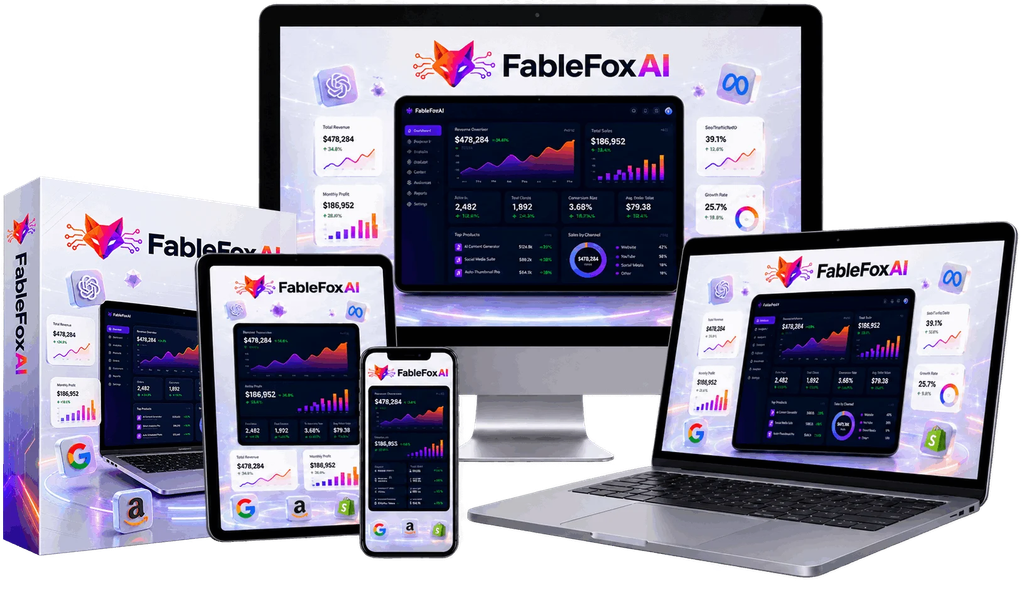
FableFox AI Review: Create Content, Videos, Voiceovers & Marketing Assets With AI

Artificial intelligence has made it easier than ever to create content, but many businesses still face the same problem: they need multiple tools for writing, graphics, videos, voiceovers, SEO, advertising, and automation.

FableFox AI takes a different approach by bringing many of these capabilities together inside one AI-powered platform. Instead of repeatedly explaining your business to different AI tools, FableFox AI is designed to learn information about a business and use that knowledge when creating different types of marketing assets.

According to the official sales material, users can provide a business link and create a custom knowledge agent that can be used for generating content, advertisements, videos, graphics, voiceovers, SEO assets, and other business materials.

But what exactly is FableFox AI, how does it work, and who could benefit from it?

Let’s take a closer look.

FeatureDetails
ProductFableFox AI
TypeAI Marketing Platform
ContentText, blogs & ads
VideoAI video creation
VoiceAI voiceovers
ImagesGraphics & visuals
SEOSEO content tools
Best ForMarketers, agencies & creators

FableFox AI is an all-in-one AI platform designed to help businesses, marketers, agencies, freelancers, and content creators produce a wide range of digital assets from a single dashboard. According to its official sales page, the platform can generate 300+ business assets, including written content, images, videos, voiceovers, graphics, designs, chatbots, and marketing materials.

One of its main features is a custom business knowledge agent. Users can provide a website URL, upload a document, or add text, and FableFox AI uses that information to build a dedicated knowledge agent around the business. The platform is designed to use this business-specific information when creating content and other assets, rather than relying only on generic prompts.
FableFox AI also brings together tools for copywriting, AI video creation, voiceovers, image generation, graphic design, SEO, advertising, chatbots, and lead generation. This makes it particularly relevant for users who currently rely on several separate AI platforms for their marketing workflow.

In simple terms, FableFox AI aims to provide a centralized AI workspace where you can train an AI agent around a business and then use it to create different types of marketing and business assets.

FableFox AI works by first learning about a business and then using that information to create different types of marketing assets. According to the official page, the process can be broken down into a few simple steps.

First, you provide your business information. You can paste a website URL, upload a document, or add text. FableFox AI analyzes the information and creates a customized knowledge agent based on the business, including its tone, offers, and brand information.

Next, you choose what you want to create. The platform offers tools for blog posts, sales copy, product descriptions, advertisements, videos, voiceovers, images, graphics, SEO content, chatbots, and other marketing materials.

Then, FableFox AI generates the asset. The platform says users can select from different AI models for various tasks, allowing them to create content and creative assets without moving between multiple separate AI tools.

FableFox AI offers several potential benefits for marketers, businesses, creators, and agencies:

  • All-in-One AI Platform: Create content, graphics, videos, voiceovers, and marketing assets from one platform.
  • Business-Specific Content: Its knowledge agent is designed to use your business information when generating assets.
  • Saves Time: Automates many repetitive content and marketing tasks.
  • Multiple Content Formats: Create blogs, ad copy, social media content, videos, images, and more.
  • Useful for Agencies: Business-specific agents can help agencies create assets for different clients.
  • Supports Marketing: Tools for SEO, advertising, lead generation, and other marketing activities are included.
  • Reduces Tool Switching: Having several AI capabilities in one platform can simplify the content-creation workflow.
  • Beginner-Friendly Workflow: Users can provide business information and select the type of asset they want to create.
  • Custom AI Knowledge Agent – Learns from your business information to create more relevant content.
  • AI Copywriting – Helps generate blogs, sales copy, advertisements, emails, and marketing content.
  • AI Video Creation – Creates videos, Shorts, Reels, and promotional content.
  • AI Voiceovers – Provides voice generation and narration for different types of content.
  • AI Image & Graphic Creation – Helps produce images, designs, logos, mockups, and other visual assets.
  • SEO Content Tools – Supports the creation of search-focused content and SEO assets.
  • Marketing Tools – Helps with advertising, campaigns, social media, and promotional materials.
  • Chatbot Creation – Includes tools for creating AI-powered customer interaction experiences.
  • Multiple AI Models – The platform advertises access to different AI models for various tasks.
  • Client-Friendly Features – Designed to support freelancers and agencies creating assets for clients.

Pros

  • All-in-one AI marketing platform
  • Custom business knowledge agent
  • Includes SEO and marketing tools
  • Useful for affiliates, creators, freelancers, and agencies
  • Can reduce the need for multiple AI subscriptions
  • Supports a wide range of content formats

Cons

  • Large number of features may take time to learn
  • Some advanced features may require upgrades
  • AI-generated content may still need editing

FableFox AI is currently promoted with a front-end price in the $27–$37 range, although the exact price can vary during the launch period. The front-end package includes access to the core AI platform and its advertised content, video, voice, image, design, SEO, and chatbot tools.

The sales funnel also includes several optional upgrades:

  • Front-End: Approximately $27–$37
  • FableFox AI Max: $1,997 one-time, with additional features such as expanded AI voices, chatbot agents, AI avatars, VSL tools, and client projects.
  • FableFox AI Unlimited: Removes various usage limitations and expands client-workspace and asset-generation capabilities. The current price is shown at checkout.
  • FableFox AI VSL Generator: Adds specialized video sales letter scripting and sales frameworks. Pricing is currently presented through the offer funnel rather than clearly displayed on the sales page.
  • FableFox AI Klient Finder: Designed to help users identify freelance opportunities and create proposals. Pricing is presented at checkout.

There has also been a bundle offer reported at $347, but buyers should verify the current checkout page to confirm exactly which upgrades are included.

FableFox AI could be worth considering if you regularly need to create content, videos, images, voiceovers, SEO assets, and marketing materials and want these capabilities in one platform. Its official page advertises 300+ business assets, a custom knowledge agent, multiple AI models, and commercial-use functionality.

One of its more useful features is the ability to train an AI agent using a website, document, or text, so generated content can be based on a particular business rather than starting with generic prompts each time.

For affiliate marketers, freelancers, agencies, and content creators, the combination of copywriting, video, voice, graphics, SEO, and marketing tools may help simplify the content-production workflow.

However, buyers should keep a few things in mind. The platform makes strong promotional claims about speed, results, and potential client income; those claims are marketing statements rather than guarantees. Also, having many AI tools in one dashboard does not necessarily mean every individual tool will match a specialist platform.

FableFox AI is designed as a comprehensive AI platform for creating a wide variety of business and marketing assets from one place. Its combination of a custom business knowledge agent, AI writing, video creation, voiceovers, image generation, SEO tools, and marketing features makes it a potentially useful solution for people who regularly produce digital content.

For affiliate marketers, freelancers, agencies, entrepreneurs, and content creators, the platform can help streamline the content-creation process and reduce the need to work with numerous separate AI tools. Its business-specific knowledge approach is also a notable part of the platform.

However, users should have realistic expectations. AI-generated content may require editing, and the availability of advanced features can depend on the selected package or upgrades. Pricing and offer details should also be checked before purchasing.

1. 100 Swipe & Deploy Agent Prompts — The FableFox Command Vault

100 ready-to-paste prompts organized by studio — Copy, Video, Voiceover, Design, SEO, and Marketing — so your trained agent delivers pro-level output from day one. No prompt engineering, no guesswork: find your bucket, paste, and generate.

2. 30 Plug-And-Play AI Service Offers — The $97/Month Offer Bank

30 done-for-you service packages, each with the offer name, the exact FableFox assets that go inside, what to charge, and the delivery checklist. Pick one, pitch it, and start collecting recurring income this week.

3. 50 Client-Getting Messages — The Client Magnet Swipe Pack

50 copy-paste cold emails, DMs, and follow-ups engineered to land local businesses and online brands as $97/month recurring clients. No calls, no meetings — just send, follow up, and close.

4. 10 Niche Agent Training Blueprints — The Instant Expert Pack

Step-by-step training recipes for 10 hot niches — dentists, gyms, realtors, coaches, ecom stores, and more — showing exactly what to feed your agent and which assets to generate first. Walk into any niche looking like you’ve served it for years.

5. 7-Day First $500 Sprint — The Fast-Start Blueprint

A day-by-day action plan that takes you from training your first agent on Day 1 to invoicing your first paying client by Day 7. Every day has one clear task, so you never stall wondering what to do next.

6. 10-Step Competitor Spy Blueprint — The Steal-Their-Angles Playbook

A 10-step system to reverse-engineer any competitor’s ad angles, content pillars, and funnel structure using FableFox. Then outproduce them with your trained agent and take the traffic they worked years to build.

Who can use FableFox AI?

It is designed for affiliate marketers, freelancers, agencies, entrepreneurs, small businesses, and content creators.

Can FableFox AI create videos?

Yes. The platform includes AI video creation capabilities for different types of promotional and social media content.

Does FableFox AI provide AI voiceovers?

Yes. Voice-generation and voiceover features are among the capabilities advertised by the platform.

Can FableFox AI help with SEO?

Yes. It includes SEO-focused tools and content-generation capabilities, although using the platform does not guarantee search-engine rankings.

Does FableFox AI have upsells?

Yes. The sales funnel includes optional upgrades that provide additional features and expanded capabilities.

Is FableFox AI beginner-friendly?

The platform is designed to simplify several AI-related tasks in one dashboard, although users may need some time to learn its broader feature set.

Can I use FableFox AI for client work?

The platform is marketed toward freelancers and agencies and includes client-oriented functionality. Users should check the current license terms to confirm the specific commercial-use rights included with their purchase.

Is FableFox AI worth considering?

It may be worth considering for users who want multiple AI content and marketing capabilities in one platform. The best fit depends on the features, usage limits, and pricing included in the package you choose.

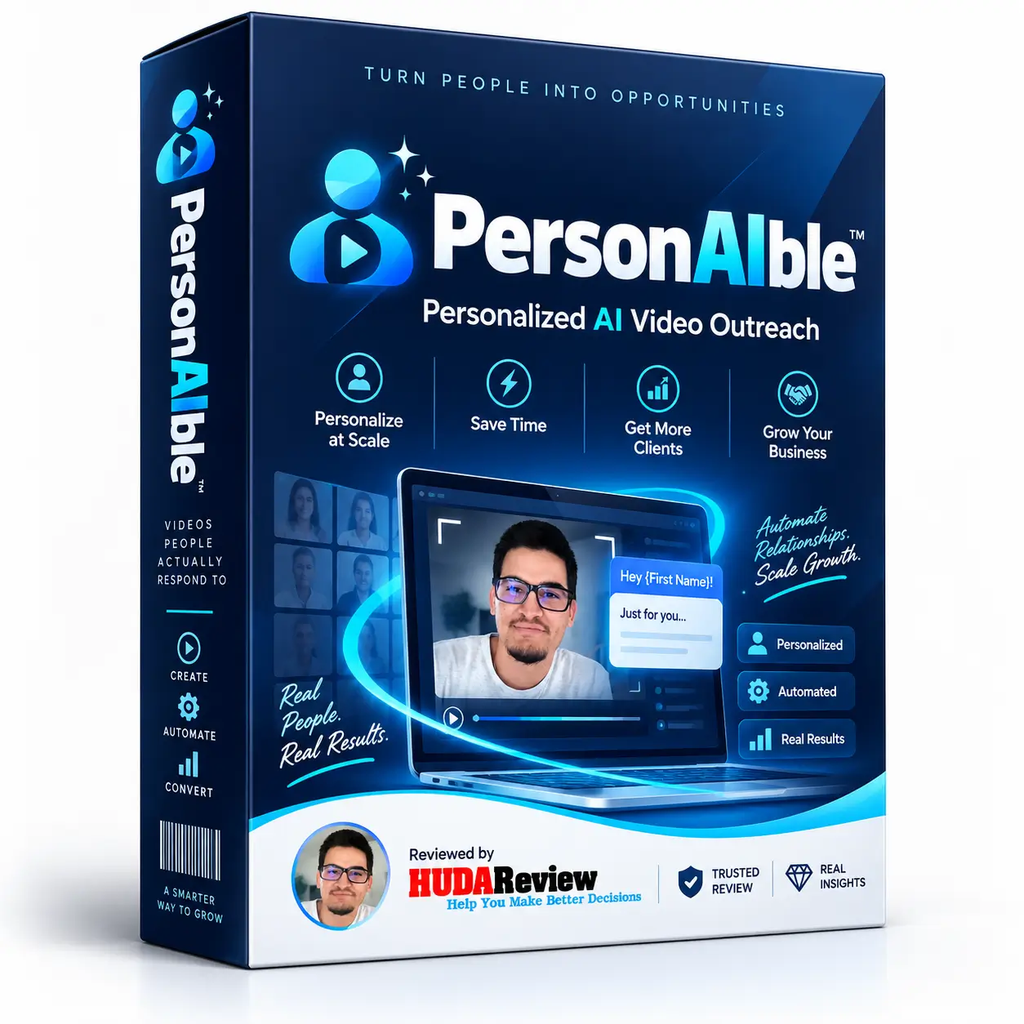
PersonAIble Review 2026: Can This AI Tool Make Client Outreach Easier?

PersonAIble is an AI-powered video outreach platform designed to help marketers, agencies, freelancers, and business owners create personalized videos for potential customers. Instead of sending generic cold emails or messages, users can create videos tailored to individual prospects, making their outreach more engaging and relevant.

The platform combines AI-generated presenters, personalized scripts, and website screen recordings to create customized promotional videos. Users can showcase a prospect’s website while an AI presenter delivers a personalized message, helping businesses communicate their offer without needing to record themselves or learn complicated video-editing software.

PersonAIble can be particularly useful for lead generation, client acquisition, agency outreach, and sales campaigns. It aims to reduce the time and effort required to create personalized video content at scale.

Overall, PersonAIble offers an interesting solution for anyone looking to improve traditional cold outreach with personalized AI videos. However, the actual results will depend on factors such as targeting, messaging, offer quality, and follow-up strategy.

FeatureDetails
ProductPersonAIble
TypeAI Video Outreach
PurposePersonalized prospect videos
Key FeatureAI Presenter + Website Screencast
Best ForMarketers, Agencies & Freelancers
Skill LevelBeginner-Friendly
Main BenefitFaster personalized outreach

PersonAIble is an AI-powered video outreach platform that helps marketers, agencies, freelancers, and business owners create personalized videos for potential customers. It is designed to make cold outreach more engaging than traditional emails or generic messages.

The platform uses AI presenters and personalized scripts to deliver messages without requiring users to record themselves. It can also incorporate a prospect’s website into the video, allowing users to create content that feels more relevant to each potential client.

PersonAIble can be useful for lead generation, client acquisition, sales outreach, and agency marketing. By automating parts of the video creation process, it can save time and make it easier to produce personalized content for multiple prospects

PersonAIble brings several parts of the outreach process into one workflow.

First, you create a campaign and tell the platform what service you provide and which type of customers you want to target. You can also select the language, tone, presenter, voice, and call-to-action.

Next, you can search for potential businesses using different filters. The platform provides website-related filters that can help users identify businesses with potential issues or opportunities.

Once you choose a prospect, PersonAIble can generate a personalized pitch based on the business. You can also add your own talking points, proof points, required information, or instructions for the AI-generated script.
The resulting video can feature an AI presenter while displaying the prospect’s actual website. After generation, the video can be delivered through a hosted page that you can share with the potential client.

AI-Powered Lead Finder: PersonAIble helps users discover potential business prospects based on different criteria, making it easier to build a targeted outreach list without spending hours searching manually.

Personalized Video Creation: The platform can create customized sales videos for individual prospects. Videos can incorporate information about a prospect’s business or website, making the outreach feel more relevant than a generic sales message.

AI Script Generation: PersonAIble can assist with creating personalized sales scripts. Users can provide details about their service and target audience, while the AI helps turn that information into an outreach presentation.

AI Presenters: Users can select AI-generated presenters to deliver their sales message. This allows marketers to create professional-looking videos without recording themselves for every prospect.

AI Voice Technology: The platform offers AI-generated voices and voice-related customization options, giving users more control over how their personalized videos sound.

Website Personalization: PersonAIble can incorporate a prospect’s website into the presentation, allowing users to point out specific areas and make their pitch more relevant to the business.

Multiple Languages and Tones: The platform supports multiple languages and communication styles, which can be useful for marketers targeting prospects across different countries and markets.

Hosted Video Pages: After creating a video, users can share it through a dedicated hosted page. This removes the need to arrange separate video hosting for each campaign.

Engagement Tracking: PersonAIble provides tracking features that can show how prospects interact with videos, including viewing activity and CTA engagement. This information can help users decide when a follow-up may be appropriate.

Campaign Management: The combination of prospecting, video creation, hosting, and tracking allows users to manage several parts of their personalized outreach workflow from one platform.

Pros

  • Helps create personalized sales videos quickly
  • AI-powered prospect and lead-finding features
  • AI-generated scripts can save writing time
  • Includes AI presenters and voice options
  • Can personalize videos around a prospect’s website
  • Supports multiple languages and communication styles
  • Provides hosted video pages for easy sharing
  • Includes engagement tracking and analytics
  • Useful for freelancers, agencies, and service providers
  • Can reduce repetitive work involved in cold outreach

Cons

  • AI-generated content may still need manual editing
  • Results depend heavily on the quality of your targeting and offer
  • Some advanced features may require additional purchases
  • New users may need time to understand all the available tools
  • Personalized videos alone do not guarantee client conversions
  • Lead quality can vary, so prospects should be reviewed before outreach

PersonAIble may be worth considering if your main goal is finding prospects and creating personalized AI videos for client outreach. The platform combines lead discovery, AI-generated scripts, AI presenters, website screen recordings, hosted video pages, and outreach tools into one workflow.

The current advertised Pro price is around $34.95 as a one-time purchase, while additional options include unlimited usage and other agency-focused upgrades.

However, I would not recommend buying every upgrade immediately. The core product can be evaluated first to see whether personalized video outreach actually generates responses for your niche. The software can simplify prospecting and video creation, but it does not guarantee clients or income. Your offer, targeting, personalization, and follow-up still play a major role.

For freelancers, agencies, consultants, and marketers who regularly approach local businesses, PersonAIble can be a useful addition to a client-acquisition workflow. For someone who isn’t planning to do outreach or sell services to businesses, its features may be less relevant.

PersonAIble takes a practical approach to client outreach by combining AI prospecting, personalized video creation, AI presenters, script generation, and engagement tracking in one platform. Instead of relying entirely on generic emails or messages, users can create presentations that are tailored to individual prospects.

For freelancers, agencies, consultants, and digital marketers, these features can help reduce the time spent researching prospects and preparing personalized outreach campaigns. The ability to create videos without recording yourself can also make the process more convenient.

That said, PersonAIble should be viewed as an outreach tool rather than a guaranteed source of clients or income. The quality of your offer, targeting, personalization, and follow-up will still have a major impact on your results.

Overall, PersonAIble offers an interesting solution for businesses that want to experiment with AI-powered personalized video outreach. If this approach fits your marketing strategy, testing the core features before purchasing additional upgrades can be a sensible way to determine whether it fits your workflow.

Does PersonAIble create AI videos?

Yes. The platform allows users to create personalized videos using AI presenters and voices, helping users produce sales presentations without recording every video themselves.

Can PersonAIble help find leads?

Yes. PersonAIble includes prospecting functionality designed to help users discover potential businesses and identify prospects that may be suitable for their services.

Can I personalize videos for individual prospects?

Yes. Personalization is one of the main features of PersonAIble. Users can create presentations based on information related to a prospect and their website.

Does PersonAIble guarantee clients?

No. PersonAIble is a marketing and outreach tool and does not guarantee clients, sales, or income. Results depend on factors such as your offer, targeting, outreach strategy, and follow-up.

Is PersonAIble suitable for agencies?

It can be particularly useful for agencies that want to use personalized video presentations as part of their client-acquisition strategy.

Does PersonAIble include tracking?

Yes. The platform includes engagement-tracking features that can provide information about how prospects interact with the videos and calls to action.

Is PersonAIble easy to use?

The platform is designed to simplify the process of prospecting and creating personalized video outreach. However, new users may need some time to become familiar with its different features and campaign options.

Is PersonAIble worth trying?

For marketers or service providers interested in personalized AI video outreach, PersonAIble may be worth testing. It is best to evaluate the core features and actual outreach results before investing in additional upgrades.

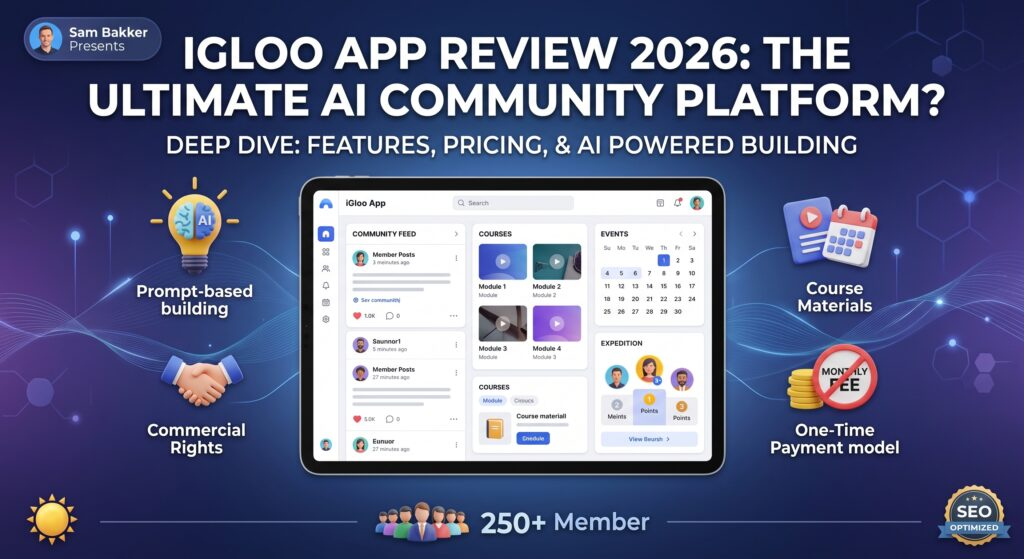
iGloo App AI Review: Build and Manage an Online Community With AI

In this iGloo App Ai Review, I want to take a detailed, practical, and balanced look at iGloo App Ai, an AI-assisted hosted community platform designed to help creators, coaches, consultants, educators, marketers, agencies, membership owners, and online businesses build and manage communities without stitching together a large number of unrelated tools. More specifically, iGloo App Ai combines community discussions, member profiles, direct communication, courses, modules, lessons, events, onboarding questions, points, levels, rewards, checkout-based access, automation connections, and compatible AI control inside one environment. Therefore, this iGloo App Ai Review is examining something broader than a simple AI writer because the central promise is not merely to generate text but to let a compatible AI assistant carry out supported actions inside the community itself.

Furthermore, the main concept behind iGloo App Ai is relatively straightforward. Instead of asking an AI tool to create a course outline, copying the answer, opening a separate community platform, creating the course manually, adding modules one by one, scheduling events, writing onboarding questions, and configuring member engagement separately, users can connect a compatible Claude, ChatGPT, or other MCP-capable AI client and then instruct that AI to perform supported actions directly inside iGloo. Consequently, a user may be able to ask for a new community structure, a course, lessons, posts, events, rewards, or onboarding elements using natural-language instructions and then review the result before publishing it.

Additionally, iGloo App Ai may be particularly relevant for people who already know what type of community they want to create but dislike the repetitive technical work involved in setting it up. For example, a coach may want a private client academy, a software vendor may want a customer onboarding hub, a creator may want a paid membership, an agency may want to build client communities, and an educator may want a course environment that includes discussion, events, and engagement. Therefore, this iGloo App Ai Review focuses not only on the list of features but also on whether the platform can reduce the distance between an idea and a working member experience.

DetailsiGloo App AI
Product NameiGloo App AI
CategoryAI Community Platform
Main PurposeBuild and manage online communities
Key FeaturesAI assistance, courses, events, discussions, onboarding
Best ForCreators, coaches, educators, marketers, businesses
AI IntegrationSupported AI-assisted workflows
PricingStarts around $27*
AccessOnline / Web-based
Community ToolsProfiles, posts, discussions, rewards
VerdictAI-assisted platform for community building

iGloo is founded by Sam Bakker, a software entrepreneur with more than a decade of experience building and scaling SaaS products.

His background covers product development, marketing, and running software companies, so he understands both the technical side of a platform and how online businesses actually use it.

Sam has especially relevant experience in the community and digital-business space. He founded Communi, an established platform for communities, courses, events, memberships, and AI-assisted management.

He is also the founder of GoCushy, an AI-connected checkout platform, and his earlier portfolio includes iGloo Premium and other marketing software sold through JVZoo.

That background gives iGloo extra credibility in my eyes. Sam has already spent years working on software that handles communities, members, digital products, and online sales, so iGloo feels closely connected to areas he already knows well.

At its core, iGloo App Ai is a browser-based hosted community platform with AI-assisted management. It gives users a place to create communities that can include member discussions, posts, comments, profiles, chat, courses, modules, lessons, event schedules, recurring events, onboarding questions, points, levels, rewards, and commerce-related access workflows. Therefore, this iGloo App Ai Review considers the product a community operating environment rather than a single-purpose AI generator.

Moreover, the AI layer is what separates iGloo App Ai from a conventional community platform. A compatible AI connection can perform supported actions inside the system, which may include creating communities, drafting posts, locating discussions, identifying unanswered comments, replying to posts or comments, inviting members, creating events, building course structures, adding modules and lessons, configuring drip schedules, creating onboarding questions, managing rewards, and assisting with other supported workflows. Consequently, users can potentially replace a substantial amount of repetitive clicking with natural-language instructions.

Furthermore, iGloo App Ai supports paid-community and customer-access workflows through compatible checkout connections. When configured correctly, qualifying purchase events can provide access, while supported refund or chargeback events can remove relevant access. Therefore, the platform may be used for paid memberships, coaching academies, course communities, product-support hubs, customer clubs, client portals, onboarding environments, and educational communities.

Additionally, the system can connect with broader business workflows through options such as Zapier, Make, supported carts, webhooks, and email-marketing bridges. As a result, users do not necessarily have to abandon their existing marketing stack in order to use iGloo as the community layer. However, those third-party platforms remain separate services and may carry their own charges or usage limits.

Ultimately, the main purpose of iGloo App Ai is to help users go from an idea to a functioning member environment with fewer repetitive setup steps. Instead of viewing AI as a replacement for strategy, this iGloo App Ai Review views it as an operational assistant that can help execute supported community tasks while the human operator remains responsible for accuracy, positioning, customer value, and final approval.

iGloo App AI works by combining an online community platform with AI-assisted tools that help simplify community creation and management. Instead of manually setting up every part of a community, users can use supported AI workflows to create and organize different elements with natural-language instructions.

You can start by creating your community and deciding what you want to offer, such as discussions, courses, lessons, events, or member activities. The platform provides tools to organize these elements in one place, making it easier to give members a structured experience.

The AI features can then assist with supported tasks such as creating posts, organizing course content, setting up events, preparing onboarding questions, and managing other community elements. This can reduce repetitive work and help users get their community ready faster.

Once the community is live, members can join discussions, access available content, participate in events, and interact with other members. The owner remains responsible for reviewing AI-generated content, moderating the community, and keeping members engaged.

  • AI-Assisted Community Creation: Ask a compatible AI to help create community structures from natural-language instructions, potentially reducing repetitive setup work.
  • 30 AI-Powered Capability Types: Use supported AI actions across community creation, posts, conversations, members, publishing, events, courses, rewards, onboarding, and automation-related workflows.
  • Community Feed And Discussions: Give members a central place to read posts, participate in conversations, reply to others, and remain connected around a topic or program.
  • AI-Assisted Posts And Replies: Use a compatible AI to help draft posts, review discussions, identify unanswered comments, and prepare responses for human review.
  • Built-In Courses: Organize educational content through courses, modules, lessons, and structured learning paths inside the same member environment.
  • Course Drip Scheduling: Release learning material gradually so members receive content according to a planned sequence rather than all at once.
  • Events And Recurring Events: Create coaching calls, workshops, Q&A sessions, challenges, webinars, or recurring community meetings.
  • Member Profiles: Keep member identity and participation connected within the community rather than scattering engagement across unrelated tools.
  • Direct Chat And Communication: Support private or member-focused communication within the community environment.
  • Voice Notes And Shared Media: Make member communication more flexible than plain text alone.
  • Points, Levels And Rewards: Add gamification elements that can make participation, progress, and milestones more visible.
  • Automatic Level Rewards: Associate rewards with progression so community activity can lead to defined benefits or milestones.
  • Joining Questions: Collect useful information during onboarding so community owners can better understand members from the beginning.
  • Checkout-Based Access: Connect supported purchase events with member access to reduce manual enrollment work.
  • Refund And Chargeback Handling: Remove relevant access when supported refund or chargeback events are received from compatible checkout systems.
  • Supported Cart Integrations: Work with compatible platforms such as JVZoo, ThriveCart, SamCart, and GoCushy according to the current supported workflow.
  • Zapier And Make Connections: Extend iGloo workflows into additional apps and services without requiring everything to live inside one system.
  • Email Marketing Bridges: Connect member-related workflows with services such as Kit, Mailchimp, ActiveCampaign, and other supported systems through compatible automation.
  • Custom Webhook Possibilities: Use webhook-based workflows when a direct integration is not the best fit.
  • AI Community Health Information: Use supported AI capabilities to examine community activity and identify patterns that may deserve attention.
  • Human Review And Approval: Keep final control over what is published, how the community is structured, and whether AI-generated material is accurate.
  • Personal And Commercial Licence Paths: Start with a personal-use licence or add commercial permissions according to the type of work you plan to do.
  • Professional Branding Upgrades: Add options such as header-logo replacement, custom-domain support, and premium styling through the PRO upgrade.
  • Agency Expansion: Use the Agency Suite when white-label presentation and a broader agency-oriented client operation are genuinely required.
  • Client Prospecting Resources: Add Client Finder Pack resources for market research, proposals, scoping, and handover workflows without treating them as guaranteed lead generation
  • Simplifies community building: Helps users create and organize an online community without handling every task manually.
  • AI-assisted workflows: Supported AI features can help with content creation, courses, events, onboarding, and other community tasks.
  • All-in-one platform: Community discussions, courses, lessons, events, and member engagement can be managed from one place.
  • Saves time: Automating repetitive setup and management tasks can reduce the amount of manual work.
  • Improves member engagement: Features such as discussions, events, points, levels, and rewards can encourage members to participate.
  • Useful for course creators: Users can combine educational content with an interactive community experience.
  • Helpful for coaches and consultants: Can provide a dedicated space for clients, training materials, discussions, and events.
  • Flexible for businesses: Businesses can use community features for customer education, engagement, onboarding, or membership programs.

Pros

  • AI-assisted community creation and management
  • Helps reduce repetitive manual tasks
  • Includes courses, lessons, and events
  • Supports member discussions and engagement
  • Offers onboarding and community-management tools
  • Gamification features such as points and levels
  • Useful for creators, coaches, educators, and businesses
  • Can bring multiple community functions into one platform

Cons

  • Requires an audience or marketing strategy to attract members
  • Some advanced features may require additional upgrades
  • AI-generated content still needs human review

The current iGloo launch offer lists the following one-time prices:

Plan / UpgradePriceWhat It Includes
iGloo App AI$27Personal use, up to 3 communities, up to 250 members per community
Commercial Rights$37Commercial use, unlimited communities, up to 250 members per community
iGloo PRO$67White-label logo, custom domain, premium features, growth and monetization tools
Command Center$195iGloo-run AI tools with a prepaid credit pack
Agency Suite$295White-label client presentation and agency resources
Client Finder Pack$47Premium lead finder, filters, pipeline, CSV export and research tools
Complete Bundle$295Includes the listed launch options
Command Center Credit Boost$77Additional prepaid AI credits

These are currently presented as one-time launch purchases, rather than recurring subscriptions. The official launch page also notes that the free Local Lead Finder is available separately after registration.

The exact inclusions and launch pricing can change, so it is worth checking the current checkout page before publishing a review. iGloo’s support page also confirms that current launch offers are one-time purchases and that additional Command Center credit packs can be purchased separately.

iGloo App AI can be a reasonable purchase if you specifically need an online community platform with AI-assisted management. The current entry offer is $27 one time, while the commercial version is $37 one time. The platform supports communities, courses, events, member engagement, rewards, and AI connections through MCP.

The important point is that you do not necessarily need all the upgrades. If you only want to create a community for yourself, the basic offer may be enough. If you plan to build communities for clients, the Commercial Rights option provides unlimited communities with up to 250 members each.

The PRO, Command Center, Agency Suite, and Client Finder upgrades are aimed at users who need additional branding, AI tools, agency functionality, or prospecting features. They should be considered based on your actual business requirements rather than simply buying every upsell.

Another thing to consider is that iGloo connects to AI clients such as Claude or other MCP-capable agents, and those external AI services can have their own pricing and limits.

Bonus 1: EBFusion Cloud-Based App (FRONTEND

Bonus 2: AIFlipBook Cloud-Based App (FRONTEND)

Bonus 3: AIBookSite Cloud-Based App (FRONTEND)

Bonus 4: EazySitePro Cloud-Based App (FRONTEND)

Bonus 5: Advanced ChatGPT Prompts Generator Software

Does iGloo App AI require coding?

No. The platform is designed to simplify community creation without requiring users to build the platform from scratch with code.

Can I create courses with iGloo App AI?

Yes. Users can organize educational content into courses and lessons while keeping the learning experience connected to their community.

Can I create events?

Yes. iGloo supports events and recurring events that can be used for workshops, coaching sessions, webinars, Q&A sessions, and community activities.

Does iGloo App AI generate content automatically?

Its AI-assisted features can help with supported content and community-management tasks. However, users should review AI-generated material before publishing it.

How much does iGloo App AI cost?

The launch offer has been presented with a $27 one-time entry price, with additional upgrades available. Pricing and upgrade details may change.

Does iGloo App AI have upsells?

Yes. Additional options have included Commercial Rights, PRO, Command Center, Agency Suite, Client Finder, and additional AI credits.

Can I use iGloo App AI for clients?

Commercial and agency-oriented options are available for users who want to create communities for clients, subject to the specific license terms.

Is iGloo App AI a replacement for marketing?

No. It provides tools for building and managing the community, but attracting members still requires your own marketing, content, audience-building, and engagement strategy.

PodinarClaw AI Review: Turn Podcasts & Webinars Into Content, Leads & Customers

Long-form content can hold a great deal of value, yet much of it is used only once. A podcast episode gets published, a webinar ends, an interview goes live, and then the recording often sits there while creators move on to the next piece of content.

The problem is not a lack of material. The real issue lies in turning those recordings into short videos, adding captions, preparing them for different platforms, keeping up with posting, and converting views into leads or sales. Doing all of that manually can consume hours, especially when you want to publish consistently across several channels.

PodinarClaw AI enters as a solution for this exact situation. It helps you get far more mileage from the content you already have and reduces much of the repetitive work that normally comes with repurposing and distribution.

In this PodinarClaw AI review, I’ll walk you through how the platform works, what it can help you achieve, its pricing, upgrades, strengths, limitations, and the type of user who may get the most value from it.

FeatureDetails
ProductPodinarClaw AI
AI AgentEVA
Main PurposePodcast & webinar content repurposing
Short ClipsTypically 10–30 per recording
Video FormatAutomatic 9:16 reframing
CaptionsAI-generated captions and hooks
Languages20+ languages
Lead GenerationCTA + lead-capture pages
PublishingYouTube Shorts, Instagram Reels & TikTok
DashboardMulti-account support
LicenseCommercial license included
Guarantee30-day money-back guarantee
Launch Price$14 one-time, according to the current sales page

PodinarClaw AI is an AI-powered content repurposing platform designed to turn podcasts, webinars, interviews, and other long-form recordings into multiple pieces of short-form content. Its main AI agent, called EVA, is designed to identify the strongest moments from a recording and transform them into ready-to-publish vertical clips.

Instead of manually watching an entire recording, finding interesting sections, editing clips, adding captions, resizing videos, and scheduling posts, PodinarClaw AI aims to handle these repetitive tasks in one workflow. According to its sales page, one recording can generate around 10–30 ready-to-post clips, with automatic captions, hooks, 9:16 reframing, and AI voiceovers or dubbing in 20+ languages.

What makes PodinarClaw AI different from a basic video clipping tool is its focus on content distribution and lead generation. EVA can add CTAs to clips, generate lead-capture pages, schedule content, and auto-post to platforms such as YouTube Shorts, Instagram Reels, and TikTok. The platform also includes a multi-account dashboard and commercial license, making it potentially useful for agencies, freelancers, coaches, podcasters, and affiliate marketers.

In simple terms, PodinarClaw AI is built to take one long-form recording and turn it into a complete content engine—clips, captions, publishing, and lead-generation assets—with less manual work

PodinarClaw AI is designed to turn long-form content such as podcasts, webinars, interviews, and videos into multiple short-form content pieces using its AI agent, EVA. The basic process starts when you upload a recording or import a supported video. EVA then analyzes the content and identifies moments that could work well as short clips.

Once the important sections are identified, PodinarClaw AI automatically cuts them into vertical 9:16 videos suitable for platforms such as YouTube Shorts, Instagram Reels, and TikTok. It can also add animated captions, hooks, and other on-screen elements, reducing the amount of manual editing required.

The next step is content enhancement and distribution. Users can choose options such as captions, background elements, narration, or dubbing, while the system prepares the clips for publishing. PodinarClaw AI also includes scheduling and auto-posting features, allowing users to plan content instead of publishing every clip manually.

Another notable part of the workflow is lead generation. The platform can connect generated clips with lead-capture pages and calls to action, allowing creators to use short videos not only for views but also for building an audience and collecting potential leads.

In simple terms, the workflow is:

Upload/import content → EVA analyzes it → finds useful moments → creates short clips → adds captions and formatting → prepares lead-capture assets → schedules or publishes the content.

This makes PodinarClaw AI particularly useful for creators, podcasters, coaches, marketers, and businesses that already have long-form content but want to get more content and marketing value from each recording.

PodinarClaw AI offers a range of AI-powered features designed to help creators turn long-form recordings into engaging short-form content and marketing assets.

AI-Powered Content Repurposing: PodinarClaw AI can analyze podcasts, webinars, interviews, and other long-form recordings and transform them into multiple short-form videos, helping users get more content from a single recording.

EVA AI Agent: Its AI agent, EVA, is designed to identify interesting moments from long videos and automatically turn them into potential social media clips, reducing the need to search through recordings manually.

Automatic Short Clips: The platform can create multiple clips from a single podcast or webinar and prepare them for platforms such as YouTube Shorts, Instagram Reels, and TikTok.

AI Captions and Hooks: PodinarClaw AI can generate captions, hooks, and on-screen text to make videos easier to understand and more suitable for short-form audiences.

Automatic 9:16 Reframing: The platform can convert horizontal long-form videos into vertical 9:16 content, making them better suited for modern short-video platforms.

AI Voiceovers and Dubbing: PodinarClaw AI promotes AI voiceovers and dubbing in more than 20 languages, allowing creators to adapt content for different audiences.

Social Media Scheduling: Users can schedule their generated content in advance, making it easier to maintain a consistent publishing routine.

Auto-Posting: The platform is designed to help publish content to platforms such as YouTube Shorts, Instagram Reels, and TikTok without requiring users to manually upload every clip.

Lead Generation Tools: PodinarClaw AI goes beyond video creation by providing calls-to-action and lead-capture pages, helping creators turn video viewers into potential leads.

Multi-Account Management: Its dashboard can support multiple accounts, which may be useful for agencies, freelancers, and marketers managing content for different brands.

Commercial Use: PodinarClaw AI also offers commercial-use capabilities, allowing users to potentially provide content-repurposing services to clients.

Pros

  • Saves time by automatically repurposing long-form content into short clips.
  • EVA AI can identify potentially engaging moments from podcasts and webinars.
  • Automatic captions, hooks, and on-screen text reduce manual editing.
  • Converts videos into vertical 9:16 formats for short-form platforms.
  • Supports AI voiceovers and dubbing in multiple languages
  • Includes scheduling and auto-posting features.
  • Lead-generation tools can help turn viewers into potential leads.
  • Multi-account management can be useful for agencies and freelancers.
  • Commercial-use options can allow users to offer content-repurposing services.

Cons

  • AI-generated clips may still require manual review and editing.
  • The quality of the output depends heavily on the original recording.
  • Some advanced features may require additional upgrades.
  • Beginners may need some time to understand all the available features.

According to the latest pricing information I found, PodinarClaw AI is offered through a front-end product plus several optional upgrades.

PodinarClaw AI Front-End: The core offer has been listed around $14.95–$17, with the sales funnel showing a much higher comparison/regular price. The front-end provides the main EVA AI content-repurposing functionality, including AI clip creation, captions, 9:16 reframing, lead capture, and publishing features.

Viral Clip Accelerator – $9.98: This optional order bump provides additional resources such as hook templates, caption styles, and other elements intended to improve short-form clips.

PodinarClaw AI PRO – $37–$47: This upgrade is aimed at users who need higher limits, more clips and recordings, HD exports, faster processing, and additional caption and animation options.

PodinarClaw AI Unlimited – $67–$97: This tier is designed for higher-volume users and removes or increases limits on recordings, clips, exports, and connected accounts.

PodinarClaw Lead Engine – $47–$67: This upgrade focuses on lead generation, with features such as additional landing pages, branding options, split testing, autoresponder integrations, and lead tracking.

PodinarClaw Agency – $127–$197: Designed for agencies and freelancers, this upgrade adds client-management functionality, sub-user accounts, team features, and agency-related resources.

PodinarClaw Whitelabel/Reseller – $197–$297: This is the highest-level upgrade and is intended for users who want to rebrand the platform and potentially sell it as their own software service.

PodinarClaw AI can be useful for anyone who regularly creates long-form content and wants to turn that content into multiple short-form videos without spending hours editing manually.

Podcasters can use it to transform full podcast episodes into multiple short clips for platforms such as YouTube Shorts, Instagram Reels, and TikTok.

Webinar Hosts can repurpose recorded webinars into smaller educational or promotional clips instead of letting valuable recordings remain unused.

Coaches and Consultants can turn interviews, training sessions, and educational videos into bite-sized content that helps demonstrate their expertise and attract potential clients.

Content Creators can use the AI-powered workflow to produce more short-form content from existing videos while reducing repetitive editing work.

Affiliate Marketers can repurpose product-related videos, tutorials, interviews, and educational content into short clips and add calls-to-action designed to drive viewers toward offers or landing pages.

Agencies and Freelancers can benefit from the multi-account and commercial-use features when managing content for multiple clients. The platform can potentially help them offer podcast and webinar repurposing as a service.

Businesses and Brands can turn interviews, presentations, webinars, and other existing video assets into regular social media content, helping them maintain a more consistent publishing schedule

PodinarClaw AI can be worth considering if you regularly create podcasts, webinars, interviews, or other long-form videos and want to turn them into multiple pieces of short-form content.

One of its biggest advantages is that it can automate much of the repetitive work involved in content repurposing. Instead of manually searching through a long recording, cutting clips, adding captions, resizing videos, and preparing them for social media, the platform uses its AI agent, EVA, to handle much of this workflow.

Another advantage is that PodinarClaw AI goes beyond simple video editing. Features such as AI captions, 9:16 reframing, multilingual dubbing, scheduling, auto-posting, CTAs, and lead-capture pages can make it more useful for marketers and businesses that want to turn content into leads rather than simply create videos.

It can be particularly valuable for podcasters, coaches, content creators, affiliate marketers, freelancers, and agencies that already have a steady supply of long-form content. One recording can potentially become numerous short clips, giving users more opportunities to reach audiences across different platforms.

However, it isn’t necessarily the right choice for everyone. If you rarely create long-form content or only need basic video editing, you may not use enough of its features to justify purchasing it. Also, AI-generated clips should still be reviewed before publishing because automated editing cannot always understand context, tone, or brand style perfectly.

PodinarClaw AI is an interesting solution for creators and marketers who want to get more value from their existing long-form content. Its combination of AI-powered clip creation, automatic captions, vertical video formatting, multilingual dubbing, social media publishing, and lead-generation tools can simplify the content repurposing process.

The platform is especially useful for podcasters, webinar hosts, coaches, affiliate marketers, freelancers, and agencies that regularly produce long-form videos. Instead of spending hours manually finding clips and preparing them for different platforms, users can automate much of the repetitive work with EVA.

That said, PodinarClaw AI should not be viewed as a completely hands-free content machine. Reviewing AI-generated clips, captions, hooks, and CTAs is still important if you want professional and brand-consistent results.

Overall, PodinarClaw AI is worth considering if you already have long-form content and want to turn one recording into multiple short-form marketing assets. For users who rarely create videos, however, a simpler and less feature-heavy tool may be a better choice.

VIP Bonus #1: MasterStudy LMS PRO ~ Build Your Own Online Course Empire

Launch your very own e-learning platform with the MasterStudy LMS PRO plugin for WordPress. Whether you’re a coach, creator, or consultant, this powerful tool lets you easily create, manage, and sell unlimited online courses from your own website – no restrictions, no coding needed. From video lessons to quizzes and certificates, everything is ready to go. Turn your knowledge into passive income today!

🎁 VIP Bonus #2: WP Courseware ~ WordPress Learning Management Made Easy

Looking to deliver a smooth and professional online learning experience? WP Courseware gives you a complete drag-and-drop course builder, robust quiz options with question pools, timers, randomized answers, and more – all inside your WordPress site. Perfect for creating full training programs, student portals, or coaching academies. It’s simple, powerful, and designed to help you scale!

🎁 VIP Bonus #3: Shortzz ~ TikTok-Style Video & Live Streaming App (Clone Script)

Want to ride the short-form video wave like TikTok or Reels? Shortzz is your plug-and-play app template built with Flutter – allowing you to launch your own short video platform complete with hashtags, likes, gifts, live streaming, chat, watermarking, and more. It’s fast, flexible, and loaded with features so you can start your very own viral video app in no time.

🎁 VIP Bonus #4: Chatter ~ The Ultimate All-In-One Social Media App (with Backend)

Chatter is the ultimate social media system that lets you create a fully functional app like Facebook, Clubhouse, or Instagram – all in one. It includes chat rooms, video/image posts, real-time messaging, audio spaces, stories, profile discovery, in-app purchases, ads integration, and more. Whether you’re launching a niche community or building the next big thing, Chatter gives you everything you need to go live instantly.

🎁VIP Bonus #5.  Smart AI Companion 

Put the power of AI in your pocket with this all-in-one Android, iOS, and web app. Generate content, find keywords, and even create images on the go — all managed from a slick admin panel.

Can PodinarClaw AI create short videos?

Yes. The platform is designed to turn long-form recordings into multiple short-form videos suitable for platforms such as YouTube Shorts, Instagram Reels, and TikTok.

Does PodinarClaw AI add captions?

Yes. It can automatically generate captions, hooks, and on-screen text for short-form videos.

Can PodinarClaw AI convert horizontal videos into vertical videos?

Yes. The platform supports automatic 9:16 reframing, making content more suitable for vertical-video platforms.

Does PodinarClaw AI support multiple languages?

The platform promotes AI voiceovers and dubbing across more than 20 languages, allowing creators to adapt content for different audiences.

Who can use PodinarClaw AI?

Podcasters, content creators, coaches, consultants, marketers, affiliate marketers, freelancers, agencies, and businesses can potentially benefit from the platform.

Can I use PodinarClaw AI for client work?

Yes. Its commercial-use capabilities can make it suitable for freelancers and agencies that want to provide content-repurposing services to clients.

Is PodinarClaw AI worth buying?

It can be worthwhile if you regularly create long-form content and want to turn each recording into multiple short-form marketing assets. Users who rarely create long-form videos may have less need for it.

Does PodinarClaw AI guarantee viral videos?

No. AI can help identify and prepare potentially engaging clips, but there is no guarantee that every generated video will become viral or produce sales. Human review and good content strategy are still important.

LiveStreamingSalesAgentsAI Review: Can AI Automate Your Live Selling?

Live streaming has become a powerful way to attract attention, demonstrate products, answer questions, and generate sales. But there is one major problem: managing a live selling campaign manually can take a lot of time.

Someone has to manage the broadcast, monitor comments, answer questions, present offers, collect leads, and keep viewers engaged.

LiveStreamingSalesAgentsAI is designed to simplify many of these tasks by combining live streaming tools with AI-powered sales and engagement agents.

Instead of treating a livestream as just a video broadcast, the platform aims to turn it into an interactive sales experience where AI can help communicate with viewers and respond to buying signals.

So, is LiveStreamingSalesAgentsAI actually useful, or is it simply another AI marketing tool?

Let’s take a closer look

FeatureDetails
ProductLiveStreamingSalesAgentsAI
Product TypeAI Live Streaming & Sales Automation
CreatorJai Prakash Sharma
Front-End Price$37
PlatformWeb-Based
Main PurposeLive selling, engagement and automation
AI Agents4
Lead GenerationYes
Multi-Platform StreamingSupported
Content RepurposingSupported
Money-Back Guarantee30 days

LiveStreamingSalesAgentsAI is a browser-based live-selling and marketing automation platform designed to help marketers turn existing videos, webinars, product demonstrations, or promotional content into interactive livestream sales events.

The platform is built around four AI agents, each intended to handle a different part of the livestreaming process. The AI Host helps manage the broadcast, the AI Chat Agent responds to viewer questions, the Engagement Agent can create polls and quizzes, and the AI Closer is designed to identify buying signals and present the relevant offer.

One of its main ideas is that users can reuse prerecorded content instead of appearing on camera for every live event. The system can also distribute a livestream across multiple supported social platforms from a central setup, making it potentially useful for affiliate marketers, ecommerce sellers, agencies, coaches, and content creators.

In simple terms, LiveStreamingSalesAgentsAI aims to combine livestreaming, audience engagement, lead generation, and sales automation in one platform. However, it should be viewed as an automation tool rather than a guaranteed source of traffic or sales—the quality of the offer, content, audience, and marketing strategy still matters.

LiveStreamingSalesAgentsAI works by combining livestreaming technology with AI-powered automation. Users can start with their own live presentation or use existing video content as the foundation for a livestream campaign. After adding the relevant product, service, or offer details, the platform helps turn that content into an interactive selling experience rather than simply showing a prerecorded video.

The platform uses multiple AI agents to handle different parts of the livestream. These agents can help manage the broadcast, respond to viewer questions, encourage participation, and assist with sales conversations. For example, when viewers ask questions in the chat, the AI can provide relevant responses based on the information provided during setup.

Another important part of the workflow is audience engagement. LiveStreamingSalesAgentsAI can use interactive elements such as polls, quizzes, calls to action, and other engagement features to encourage viewers to participate. When a viewer demonstrates interest in the offer, the sales-focused AI can help provide additional information or direct the person toward the appropriate offer or sales page.

Overall, the goal is to reduce the amount of manual work involved in live selling. Instead of constantly monitoring comments, answering repetitive questions, and managing every part of the broadcast manually, marketers can use AI to automate many of these tasks. This makes the platform potentially useful for affiliate marketers, ecommerce sellers, agencies, coaches, and creators who want to turn their video content into more interactive sales campaigns.

AI-Powered Sales Agents

LiveStreamingSalesAgentsAI uses multiple AI agents to assist with different aspects of livestream selling. These agents can help with hosting, answering viewer questions, increasing engagement, and supporting sales conversations.

Automated Viewer Engagement

The platform is designed to interact with viewers during livestreams. It can help respond to common questions and encourage audience participation, making the broadcast more interactive.

AI Sales Closer

One of its notable features is an AI-powered sales assistant designed to recognize buying intent. When viewers show interest in a product or offer, it can help provide relevant information and guide them toward the next step.

Polls and Quizzes

Users can add interactive elements such as polls and quizzes to encourage viewers to participate. These features can help keep audiences engaged instead of passively watching the livestream.

Multi-Platform Streaming

The software is designed to help users distribute livestream content across supported platforms, allowing marketers to reach audiences in multiple places without managing every broadcast separately.

Lead Generation

LiveStreamingSalesAgentsAI includes tools intended to help capture leads during livestream campaigns. Users can encourage viewers to sign up, request information, or take another desired action.

Content Repurposing

Existing livestream content can be reused for additional marketing material. This can help marketers turn longer broadcasts into shorter promotional content and extend the value of a single campaign.

QR Codes and Calls to Action

The platform can incorporate QR codes and calls to action into campaigns, giving viewers a simple way to move from the livestream to a product page, registration form, or other destination.

Affiliate Marketers: Affiliate marketers can use LiveStreamingSalesAgentsAI to turn product demonstrations, reviews, tutorials, and promotional videos into interactive selling experiences. The AI features can help answer common viewer questions and guide interested visitors toward an affiliate offer.

Ecommerce Sellers: Online store owners can use the platform to showcase products, explain features, interact with potential customers, and highlight special offers during livestream campaigns. This can make product promotion more engaging than relying only on static product pages.

Coaches and Course Creators: Coaches, consultants, and digital-product creators can use livestreams to educate their audiences while simultaneously generating leads and promoting courses, coaching programs, webinars, or other services.

Agencies and Content Creators: Marketing agencies can potentially use the platform to manage interactive campaigns for clients, while content creators can repurpose existing videos and use AI-powered engagement to make their content more valuable. Overall, LiveStreamingSalesAgentsAI is best suited to people who already have an offer, useful content, or an audience and want to automate more of their livestream marketing and sales process.

Pros

  • AI-assisted livestream automation
  • Multiple specialized AI agents
  • Supports interactive viewer engagement
  • Can work with existing video content
  • Lead-generation functionality
  • Sales-focused automation
  • Multi-platform broadcasting
  • Content repurposing capabilities
  • QR codes and CTAs
  • Useful for affiliate and ecommerce campaigns
  • Browser-based workflow

Cons

  • Requires proper initial setup
  • AI responses still need monitoring
  • Doesn’t automatically generate an audience
  • Beginners may need time to understand all the features

LiveStreamingSalesAgentsAI could be worth considering if you are an affiliate marketer, ecommerce seller, coach, agency, or content creator who regularly uses video marketing. Its main advantage is that it combines livestreaming, AI-powered viewer interaction, engagement tools, lead generation, and sales assistance in one platform. This can help reduce some of the repetitive work involved in managing an interactive sales livestream.

However, the software is not a guaranteed way to generate sales. Your results will still depend on the quality of your offer, content, traffic, audience targeting, and overall marketing strategy. If you don’t have an audience or a suitable product to promote, simply using the software is unlikely to produce significant results.

For marketers who already have videos, products, or affiliate offers and want to experiment with automated live selling, the platform may provide good value. The best approach is to start with the core features, create a small campaign, and measure engagement, leads, and conversions before investing in additional upgrades.

Overall, LiveStreamingSalesAgentsAI is worth considering if you have a clear marketing strategy and want to automate parts of your livestream sales process. It is less suitable for someone expecting the software alone to bring traffic and make sales.

The current front-end price is $37 as a one-time payment. This gives users access to the core LiveStreamingSalesAgentsAI platform and its main live-selling features. A 30-day money-back guarantee is also reported for the offer.

There are also several optional one-time upgrades (OTOs) available for users who want additional functionality. The reported upgrades include Pro Unlimited at $47, a Platinum DFY Template Pack at $47, and other upgrades focused on advanced streaming, voice cloning, lead capture, agency management, ecommerce integration, and reseller capabilities.

Some of the reported higher-tier options include a DFY Campaign package at around $197, Multi-Stream Enterprise Broadcaster at around $97, Visual Brand Customizer & 3D Avatars at around $77, and an Agency & Client Management Portal ranging from $197–$297. Prices can change during a launch, so buyers should verify the current checkout page before purchasing.

There is also a reported bundle option at $297 after a promotional discount, combining several major upgrades.

LiveStreamingSalesAgentsAI is an interesting solution for marketers who want to combine livestreaming, AI automation, audience engagement, lead generation, and sales assistance in one platform. Its ability to work with existing video content can also make it appealing to users who don’t want to create a completely new live presentation every time.

The platform may be particularly useful for affiliate marketers, ecommerce sellers, coaches, agencies, and content creators who already have an offer and want to make their video marketing more interactive. The AI agents can help reduce repetitive tasks such as answering common questions and engaging with viewers.

That said, LiveStreamingSalesAgentsAI should not be viewed as a magic solution for generating sales. Your results will still depend on your content quality, offer, audience, traffic, and marketing strategy. The additional upsells are also optional, so beginners may want to start with the core package before considering upgrades.

1.Pintrest Traffic Automator

2.LinkedIn Auto Post Machine

3.300 Ready-Made Logo Designs

4. 1-Click Fan Inviter Tool

5.Spiffy Icons Plugin

Do I need to appear on camera?

Not necessarily. The platform is designed to allow users to work with existing video content, so you may be able to create campaigns without appearing live every time.

Can LiveStreamingSalesAgentsAI answer viewer questions?

Yes. Its AI-powered chat functionality is designed to respond to viewer questions and provide relevant information during livestream campaigns.

Can it help generate sales?

The platform is designed to support the sales process by identifying buying interest and presenting relevant calls to action or offer information. However, actual sales depend on factors such as traffic, content, audience, and the quality of the offer.

How much does LiveStreamingSalesAgentsAI cost?

The reported front-end price is $37 as a one-time payment. Optional upgrades are available for users who want additional features.

Are the upsells required?

No. The core product can be used without purchasing every upgrade. Beginners may want to start with the front-end package and evaluate their needs before buying additional features.

Is LiveStreamingSalesAgentsAI beginner-friendly?

The basic concept is relatively easy to understand, but users may need some time to learn the platform’s different automation and livestreaming features.

Click Staff AI Review: The AI Team That Could Transform Your Business

Click Staff AI is an AI-powered virtual team designed to help businesses complete complex projects with less manual work. Instead of relying on a single AI assistant, the platform brings together multiple specialized AI agents that can handle different parts of a project, including research, strategy, copywriting, design, development, and review.

The main idea is simple: you give Click Staff AI a goal, and its AI Chief of Staff organizes the right virtual specialists to work on it. These agents can collaborate, review each other’s work, and help turn an initial idea into a more complete deliverable.

For affiliate marketers, freelancers, agencies, entrepreneurs, and business owners, this approach could make tasks such as campaign planning, content creation, market research, product launches, and client projects more efficient.

Overall, Click Staff AI aims to function less like a basic chatbot and more like a coordinated AI workforce that can help users save time, streamline repetitive tasks, and get projects moving faster.

CategoryDetails
Product NameClick Staff AI
Product TypeAI Virtual Team / Business Productivity Platform
Core TechnologyMultiple AI agents working together
Main AssistantAI Chief of Staff
Key FunctionsResearch, strategy, copywriting, design, development, and review
How It WorksGive an objective and let AI organize and coordinate the required specialists
Target UsersAffiliate marketers, agencies, freelancers, entrepreneurs, marketers, and business owners
Best ForMarketing campaigns, research, content creation, product launches, and client projects
Main BenefitHelps streamline multi-step projects and reduce repetitive AI prompting
AI CollaborationSpecialized agents can collaborate and review each other’s work
PricingCheck the current official offer for the latest pricing and upgrades
Money-Back Guarantee30-day guarantee advertised on the sales page
Overall IdeaA coordinated AI workforce designed to help users complete business projects faster

Click Staff AI is an AI-powered platform designed to create a virtual team of AI specialists that can work together on business tasks. Instead of relying on one AI assistant for everything, it uses different AI agents for jobs such as research, strategy, copywriting, marketing, development, and reviewing.

The platform is built around an AI Chief of Staff, which coordinates these specialists based on the user’s objective. You simply provide a goal, and the AI can break the project into tasks, assign them to appropriate agents, coordinate their work, and combine the results into a completed deliverable.

The main idea behind Click Staff AI is to make AI work more like a team of digital employees rather than a single chatbot. This can be useful for entrepreneurs, affiliate marketers, freelancers, agencies, and business owners who regularly handle multiple steps to complete a project.

Click Staff AI works by turning a single business goal into a coordinated workflow handled by multiple AI specialists. You start by giving the platform a simple instruction describing what you want to accomplish. Its AI Chief of Staff then analyzes the task, breaks it into smaller steps, and assigns those steps to the most suitable AI agents.

Different agents can handle areas such as research, strategy, copywriting, marketing, development, or content creation. They can then collaborate, review each other’s work, identify potential problems, and make improvements. Once the individual tasks are completed, Click Staff AI brings the work together into a final deliverable.

In simple terms, you provide the goal, Click Staff AI organizes the AI team, and the agents work together to complete the project. This approach is intended to reduce the need for manually managing multiple AI tools and prompts.

Click Staff AI was created by Yogesh Agarwal, a software entrepreneur known for developing online tools and solutions for digital marketers, entrepreneurs, and online business owners. With Click Staff AI, his goal is to make business automation easier by bringing multiple AI specialists together under one platform.

The platform uses an AI Chief of Staff to coordinate different AI agents for tasks such as research, strategy, copywriting, marketing, and other business activities. This approach is designed to help users save time and manage complex projects more efficiently.

For marketers and entrepreneurs who want to use AI as a virtual workforce rather than simply as a chatbot, Click Staff AI offers an interesting solution.

Click Staff AI is designed to function like a virtual AI workforce rather than a single chatbot. Some of its key features include:

  • AI Chief of Staff: Acts as the central coordinator, understanding your objective and organizing the work required to complete it.
  • Multiple AI Specialists: Provides access to different AI roles for tasks such as research, strategy, copywriting, marketing, development, and content creation.
  • AI Team Collaboration: Different agents can work together and exchange information instead of producing completely separate outputs.
  • Automatic Task Delegation: The system can break a larger project into smaller tasks and assign them to appropriate AI specialists.
  • Built-In Review: AI agents can review and critique work, helping identify mistakes and improve the final output.
  • Live AI Boardroom: The platform provides a workspace where users can observe the AI team discussing tasks, making decisions, and refining their work.
  • Multi-Step Project Management: It is designed for larger workflows where research, planning, writing, analysis, and execution need to happen together.
  • Business-Focused Automation: Click Staff AI can be useful for entrepreneurs, affiliate marketers, freelancers, agencies, and other users who want to automate repetitive business workflows.

Pros

  • Multiple AI specialists can work together on one project
  • AI Chief of Staff helps coordinate tasks automatically
  • Useful for research, marketing, copywriting, and business workflows
  • Can reduce the need to switch between multiple AI tools
  • Built-in AI review can help improve the quality of the output
  • Suitable for entrepreneurs, freelancers, agencies, and affiliate marketers

Cons

  • AI-generated results may still require human editing and fact-checking
  • Complex projects may take time to set up and understand
  • Output quality can vary depending on the task and instructions
  • Beginners may need some time to learn the platform

Click Staff AI could be worth considering if you want to use AI for more than simple content generation. Its main advantage is the ability to coordinate multiple AI specialists for tasks such as research, strategy, copywriting, marketing, and project planning.

For affiliate marketers, freelancers, agencies, and entrepreneurs, this approach can potentially save time by reducing the need to manage several separate AI tools. The AI collaboration and review features can also help produce more structured results.

However, it is important to remember that AI-generated work still needs human oversight. You should review important information, marketing claims, and final content before publishing or using it commercially.

Overall, Click Staff AI may be worth it if you regularly handle multi-step business projects and want a more automated AI workflow. If you only need basic writing or occasional brainstorming, a simpler AI tool may be sufficient.

Click Staff AI presents an interesting approach to AI automation by bringing multiple AI specialists together under one platform. Instead of using separate tools for research, strategy, copywriting, marketing, and other tasks, users can give the AI Chief of Staff a goal and let the system coordinate the required agents.

For entrepreneurs, affiliate marketers, freelancers, agencies, and business owners, this could be a convenient way to streamline repetitive and time-consuming workflows. The collaboration and review features also make the platform more interesting than a basic AI writing tool.

Of course, AI should not completely replace human judgment. The final content, strategies, facts, and business decisions should always be reviewed before use.

VIRAL VIDEO WP THEME

Want to generate evergreen and repetitive traffic from your Traffic100k videos?? Post your videos to your WordPress blog as well with ViralVideo Theme.

ViralVideo will enable you to create almost any type of site where users can join and become members with absolute ease.

​ViralVideo is beautifully designed and built to be engaging, fast and most importantly boost viral traffic with simple features that will help keep your visitors on your site.

VIRAL SECRETS EXPOSED

Combine these strategies with your usual marketing to maximize your results with it. The SECRET code to going viral, confessions of a viral media spy.

​Uncovers secrets to getting your content to driving 1000s, and even 1,000,000 of hits overnight

​Easiest way to make all your content share worthy, assuring it goes viral. How to put your viral campaign on Autopilot, giving you hands-free delivery of incentives.

RAPID INSTAGRAM PROFITS

ust getting started With Instagram? Learn the Secrets To Rapidly Turn Instagram Into A Profit Pulling Machine

MODERN VLOGGING

Doing something that you love and recording it to share with the world and making money at the same time.

Vlogging is becoming increasingly more popular and there has never been a better time to start a vlog.

People really enjoy watching high quality vlogs and some vloggers have subscribers in the millions. But you don’t need millions of subscribers to make money from vlogging.

 666,317 YOUTUBE VIEWS CASE STUDY!

How to properly leverage the power of YouTube, the second largest search engine online! See the exact video that got over 666,317 views and the exact strategy and method behind it.

​In this 6-part Over-the-shoulder video course, we take you through the entire process of how to start a fresh Youtube channel and generate real targeted traffic from YouTube!

Who can use Click Staff AI?
It can be useful for entrepreneurs, affiliate marketers, freelancers, agencies, consultants, and online business owners.

Does Click Staff AI require technical skills?
The platform is designed around simple instructions, so users don’t necessarily need advanced technical knowledge to get started.

Can Click Staff AI create marketing content?
Yes. Its AI specialists can assist with areas such as marketing strategy, research, copywriting, and campaign-related tasks.

Is Click Staff AI worth it?
It may be worth considering if you regularly manage multi-step projects and want to automate parts of your workflow with a coordinated AI team.

AudioForge AI Review: Create, Publish & Monetize Music With AI?

Creating music used to require expensive equipment, production knowledge, recording skills, and often a team of people. Artificial intelligence has changed that process dramatically. Today, beginners can generate music without knowing how to play an instrument or operate complicated production software.

AudioForge AI takes this idea a step further. Instead of focusing only on generating individual songs, it is positioned as a complete AI-powered system for discovering music niches, creating tracks, preparing them for distribution, and getting them onto major streaming platforms.

But is AudioForge AI actually useful for beginners, or is it simply another AI music generator?

In this AudioForge AI review, we’ll look at how the platform works, its main features, potential benefits and limitations, pricing, and whether it could be worth considering.

CategoryDetails
ProductAudioForge AI
TypeAI Music Creation Platform
PurposeCreate & distribute AI music
Key FeatureAI track generation
PlatformsSpotify, Apple Music & more
Best ForBeginners & creators
PriceFrom $17*
Guarantee30 Days*

AudioForge AI is an AI-powered music creation platform designed to help users create and distribute music without needing professional music-production skills. It combines AI music generation with features for discovering music

niches, creating multiple tracks, generating artwork and metadata, and preparing music for streaming platforms. The platform is aimed at beginners, content creators, and entrepreneurs who want to build a digital music catalog without investing in expensive equipment or complicated software.

AudioForge AI is designed to simplify the music-creation process by bringing several tasks into one AI-powered workflow. Users can begin by exploring different music micro-genres and potential opportunities, helping them decide what type of music they want to create.

After selecting a direction, users can generate music tracks with AI. The platform can also assist with lyrics and vocals, allowing users to develop more complete songs without traditional recording or production skills. Users can preview their creations and regenerate tracks when they want a different result.

Once the music is ready, AudioForge AI can help prepare the release by generating elements such as titles, genre information, metadata, playlist descriptions, and cover artwork. Audio processing and mastering tools are also promoted as part of the workflow.

Finally, the platform is designed to help users publish their finished tracks across multiple music-streaming services. This allows users to move from music idea → AI-generated track → optimized release → distribution within one platform.

  • AI Music Generation: Create original music tracks using AI.
  • Niche Discovery: Find potential music micro-niches and opportunities.
  • Bulk Track Creation: Generate multiple tracks in a single workflow.
  • AI Cover Art: Create artwork for your music releases.
  • Smart Metadata: Generate titles, descriptions, genres, and other music details.
  • Track Preview: Listen to generated tracks and regenerate those you don’t like.
  • Music Distribution: Prepare and distribute music to major streaming platforms.
  • Beginner-Friendly: Designed for users without professional music-production experience.

Pros

  • Beginner-friendly concept
  • AI-assisted music creation
  • Can generate multiple tracks
  • Includes niche research features
  • Artwork and metadata tools included
  • Designed for streaming distribution
  • One-time pricing is advertised
  • Commercial rights are advertised
  • 30-day guarantee

Cons

  • Streaming income is not guaranteed
  • Success still depends on music quality and listener demand
  • Competition in AI-generated music can change quickly
  • Users should verify current distribution and platform policies

AudioForge AI is currently promoted with an early-bird price of $17, while the sales page mentions a regular price of $67 per month. The offer also highlights a 30-day money-back guarantee.

The main package is designed to provide the tools needed to create AI-generated music, explore music niches, prepare tracks with metadata and artwork, and move toward distribution on streaming platforms.

Upsell Information

After purchasing the main AudioForge AI offer, buyers may see additional optional upgrades during checkout. These upsells can provide extra features, capabilities, or resources depending on the current offer.

However, upsell names, prices, and inclusions can change, so they should be checked directly on the checkout page before making a purchase.

Is AudioForge AI Affordable?

At the advertised $17 introductory price, AudioForge AI can be an affordable option for beginners who want to experiment with AI music creation. However, the real value depends on how frequently you use the platform and whether its features match your goals.

It is also important to remember that purchasing the software does not guarantee music-streaming income. Success still depends on music quality, niche selection, consistency, promotion, and audience growth.

AudioForge AI Pricing

OfferPrice
AudioForge AI – Main Product$17
30-Day Streaming Success Kit$17
Unlimited Version$47
Album Art & Discovery Suite$47
Royalty Niche Vault$67
Advanced Music Studio$97
Streaming Domination$97
Platform Multiplier$67
Audio Content Creator$97
DFY Music Catalog$97
Agency License$197
Reseller Account$297
Whitelabel License$397

AudioForge AI could be worth considering if you want to create music with AI but don’t have professional music-production skills. Its main advantage is that it brings several steps together, including music generation, niche research, metadata, artwork, and distribution.

For beginners and content creators, this can save time compared with using multiple separate tools. The relatively low introductory price can also make it easier to test the platform without making a large investment.

However, it is important to have realistic expectations. AudioForge AI does not guarantee streams, listeners, or income. You will still need to choose suitable niches, review the quality of generated tracks, build a catalog, and promote your music.

Overall, AudioForge AI looks worthwhile for users who want to experiment with AI music creation and potentially build a streaming catalog. It may be less suitable for professional musicians who need advanced manual control over every part of music production.

AudioForge AI presents an interesting approach to AI-powered music creation by bringing music generation, lyrics and vocals, mastering, artwork, metadata, niche research, and distribution tools into one platform. This can make the overall process much easier for beginners and creators who don’t have professional music-production experience.

Its affordable starting price also makes it easier to experiment with the platform before committing to more advanced upgrades. However, buyers should remember that using AI to create music does not automatically guarantee streams, playlist placements, or income.

Overall, AudioForge AI is worth considering if you want a simple way to explore AI music creation and build a streaming-focused music catalog. It can save time and reduce the technical complexity involved in producing and preparing music, but your ultimate results will depend on the quality of your tracks, niche selection, promotion, and ability to attract listeners.

BONUS #1: The Distributor Decision Kit

Value: $197

AudioForge generates the tracks, but no track earns a cent until a distributor puts it on the platforms, and picking the wrong one quietly eats your royalties for years. This kit breaks down the major distributors (DistroKid, TuneCore, CD Baby and others) side by side, with the real annual cost and the exact cut each one takes, and a simple “pick this one if…” chart matched to how many tracks you plan to release. It also covers the upload settings that get a whole batch accepted the first time, and the one setting that decides whether you collect royalties from every country or just your own.

BONUS #2: The Playlist Placement Playbook

Value: $167

The question everybody asks about AI music is how anyone will ever hear it. This playbook answers it properly. Streams are what pay, and on Spotify the streams come from playlists. Inside you get how Spotify’s editorial and algorithmic playlists actually choose tracks, explained in plain English, the exact way to submit a track through Spotify for Artists, the calm faceless niches (sleep, focus, study, ambient) where a brand-new catalog can realistically break in, and the pitch-description formula that gets a track noticed by independent curators, with a swipe template to copy.

BONUS #3: The First $1,000 In Royalties Roadmap

Value: $147

Most people buy the tool, open it once, then drift. This roadmap gives you a specific action for every week of your first three months, from your first niche and first published tracks through to reading your early stream data and deciding which niche to expand into next. It tells you how many tracks to release and how often so your catalog grows without burning you out in week one, the order to enter niches in for the fastest early wins, and the three exact points where new creators usually quit, so you see them coming and push past them.

BONUS #4: The Faceless Artist Brand Kit

Value: $147

The whole appeal of this business is staying anonymous while still building something real, and a random pile of tracks never looks real. This kit shows you how to build an artist identity that carries a whole catalog: a ready-to-use bank of artist names for the calm and instrumental niches, fill-in-the-blank bio templates that read as professional on Spotify and Apple Music, and cover-art and naming conventions that make dozens of releases look intentional. It also walks you through setting up your artist profile and payout account fully under a pen name, so your real identity never appears anywhere.

BONUS #5: The Streaming Payout & Tax Guide

Value: $127

Royalty money arrives in a way most first-time creators find genuinely confusing: many platforms, foreign withholding, irregular deposits. This guide makes the money side simple and keeps more of it in your pocket. Inside you get how and when streaming royalties actually get paid so you know what to expect, the single tax form that stops Spotify withholding up to 30% of a non-US creator’s royalties and exactly how to file it, a plain-language way to keep royalty income organized for tax time with a tracking sheet included, and how to set up an account that receives international payments cleanly without losing money to conversion fees.

Bonus Package Summary

Bonus #1: The Distributor Decision Kit   $197

Bonus #2: The Playlist Placement Playbook   $167

Bonus #3: The First $1,000 In Royalties Roadmap   $147

Bonus #4: The Faceless Artist Brand Kit   $147

Bonus #5: The Streaming Payout & Tax Guide   $127

Total Bonus Package Value: $785

What can I create with AudioForge AI?

You can create AI-generated music and get assistance with lyrics, vocals, mastering, cover artwork, metadata, and other parts of the publishing process.

Can AudioForge AI create multiple tracks?

Yes. The platform supports batch music creation, allowing users to generate multiple tracks as part of their workflow.

Can I use the music commercially?

Commercial rights are advertised as part of the offer. However, it’s recommended to review the current license terms before using generated music commercially.

How much does AudioForge AI cost?

The main offer is advertised at $17 as a one-time payment, with additional optional upgrades available.

Does AudioForge AI guarantee income?

No. AudioForge AI is a software tool and does not guarantee streams, playlist placements, customers, or income.

Is AudioForge AI suitable for beginners?

Yes. Its AI-powered creation and publishing tools are designed to make music production easier for people without extensive technical experience.

Are the upgrades mandatory?

No. The upgrades are optional, so users can start with the main product and purchase additional features only when needed.

Is AudioForge AI worth trying?

It may be worth considering if you want to explore AI-generated music and build a music catalog without investing in complicated production software. However, success will still depend on music quality, promotion, audience demand, and consistency.